Repository navigation
Auto completion does not work (partially) on Win 10 x64 #3850
Description

Hi
I am using
Python 3.7.0 (v3.7.0:1bf9cc5093, Jun 27 2018, 04:59:51) [MSC v.1914 64 bit (AMD64
Vscode 1.30.1
Latest updated Python addons with Intellisense
Please see the image for what is going on. As you see Vscode autocompletes some nonsense, while Ipython does an excellent job of completing self installed "Bpy" module"
Bpy is the Python module version of Blender.
if you do not have time to compile the Blender as Py, I can provide the dlls and the compiled module for Win x64. There is a bpy in pip but I think that does not work, or does not work well.
Auto completion seems to work for the known modules on m my system.

thanks
Activity
[-]Windows 10 auto completion does not work[/-][+]Auto completion does not work (partially) on Win 10 x64[/+]d3r3kk commentedon Jan 3, 2019
Check with LS support (Jedi on 3rd party library might not work quite as well).
gerroon commentedon Jan 3, 2019
Derek Keeler (@d3r3kk)
Yes I currently use Jedi instead, Jedi actually does a better job than intellisense (with the module above), but it is quite slow, takes couple seconds to bring up completions
stevenlis commentedon Jan 20, 2019
My autocompletion is kind of slow as well. I'm also trying to using Jedi instead as some suggested.
I set:
and then reload vscode and each time I start the vscode, I got the following notification:

Is this ok? Am I missing something here? or just ignore it?
gerroon commentedon Jan 20, 2019
@stevencollinscn
Yes enabling Jedi disables intellicode, and that is what it is complaining about
stevenlis commentedon Jan 20, 2019
gerroon sorry a little bit confused... I should also disable intellicode? I didn't see any setting for it.
gerroon commentedon Jan 20, 2019
Yes you need to disable intellicode as far as I can tell, maybe there is a way to disable it for the current project. You can enable Jedi only for the current project, check out custom settings.
stevenlis commentedon Jan 20, 2019
gerroon I set both off:
But I still got this pop-up as I'm typing the code.
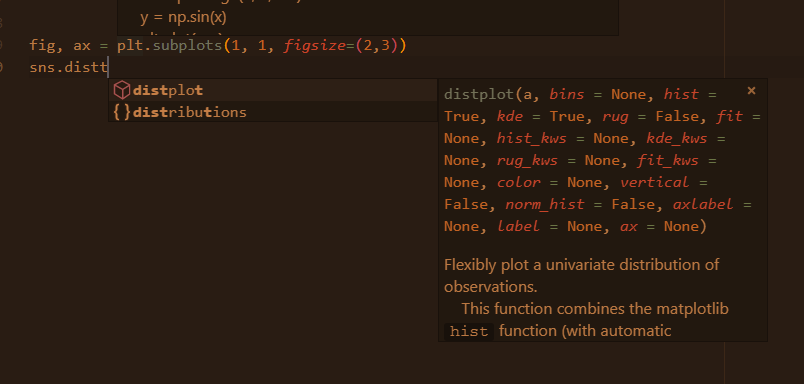
Why is that?
gerroon commentedon Jan 20, 2019
sorry, no idea. Hopefully the devs will chime in
stevenlis commentedon Jan 20, 2019
opened #4063
stevenlis commentedon Jan 20, 2019
gerroon btw, is there any way to keep this doc pop-up open while typing keywords? Right now it disappears after I
tabto select the function and have to manually hover the mouse to the name of the function to let it apper again.I sometimes got something like the following without colored keywords when move my cursor into the brackets if I'm lucky.
brettcannon commentedon Jul 29, 2019
Closing as this is an upstream issue which we don't have direct control or influence over.