You signed in with another tab or window. Reload to refresh your session.You signed out in another tab or window. Reload to refresh your session.You switched accounts on another tab or window. Reload to refresh your session.Dismiss alert
There is no easy wat to connect WiFi.
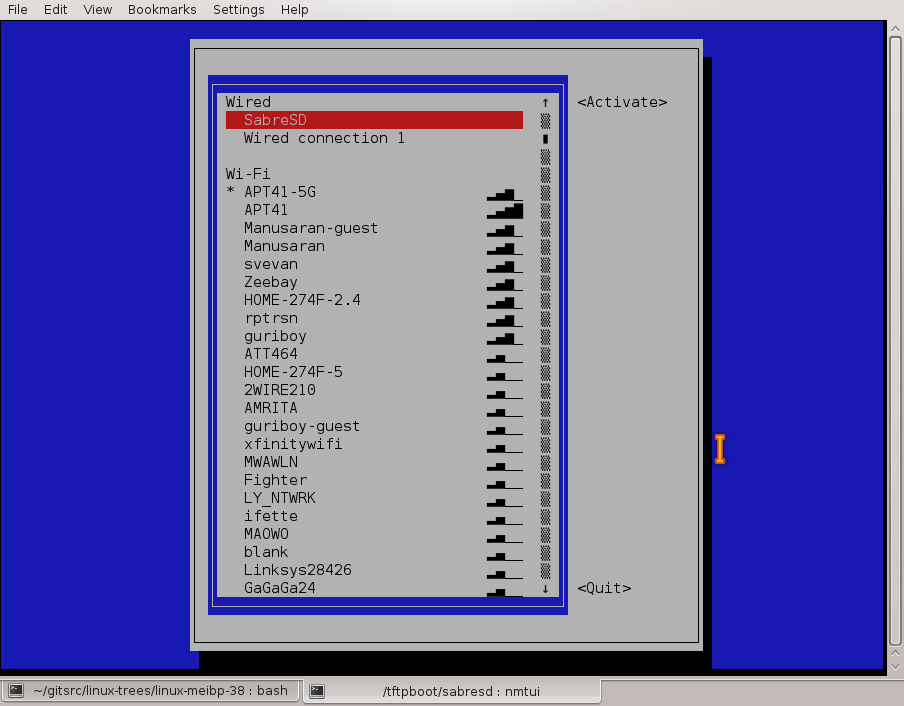
We need to add some GUI wizard to do this. Like nmtui or wifi-menu. But without depends on NetworkManager or netctl.
I've already testing connman in the same name branch.
It uses wpa_supplicant via dbus to manage wifi connections and sometimes it works strange without clear error messages. It very poor documented, so I need to read source code to understand how it works. I can't found how to disable automatic DHCP client for ethernet without moving it in DefaultAutoConnectTechnologies= list.
In current moment I can't say that connman is much better than wpa_cli. You still need to enable wpa_supplicant even for scanning networks from connman. To connect to encrypted network you need to enable connman's agent manually.

Activity
ityshchenko commentedon Mar 5, 2018
It may be worth replacing NetworkManager with connman?
zhovner commentedon Mar 5, 2018
I've already testing
connmanin the same name branch.It uses
wpa_supplicantvia dbus to manage wifi connections and sometimes it works strange without clear error messages. It very poor documented, so I need to read source code to understand how it works. I can't found how to disable automatic DHCP client for ethernet without moving it inDefaultAutoConnectTechnologies=list.In current moment I can't say that
connmanis much better thanwpa_cli. You still need to enablewpa_supplicanteven for scanning networks fromconnman. To connect to encrypted network you need to enable connman's agent manually.Check out this manual: https://github.com/zhovner/OneFileLinux/wiki/How-to-connect-to-WiFi
and compare it with connman steps.