Repository navigation
Modules do not show or calculate all the frames, just the first 100. #49
Description

Hi there,
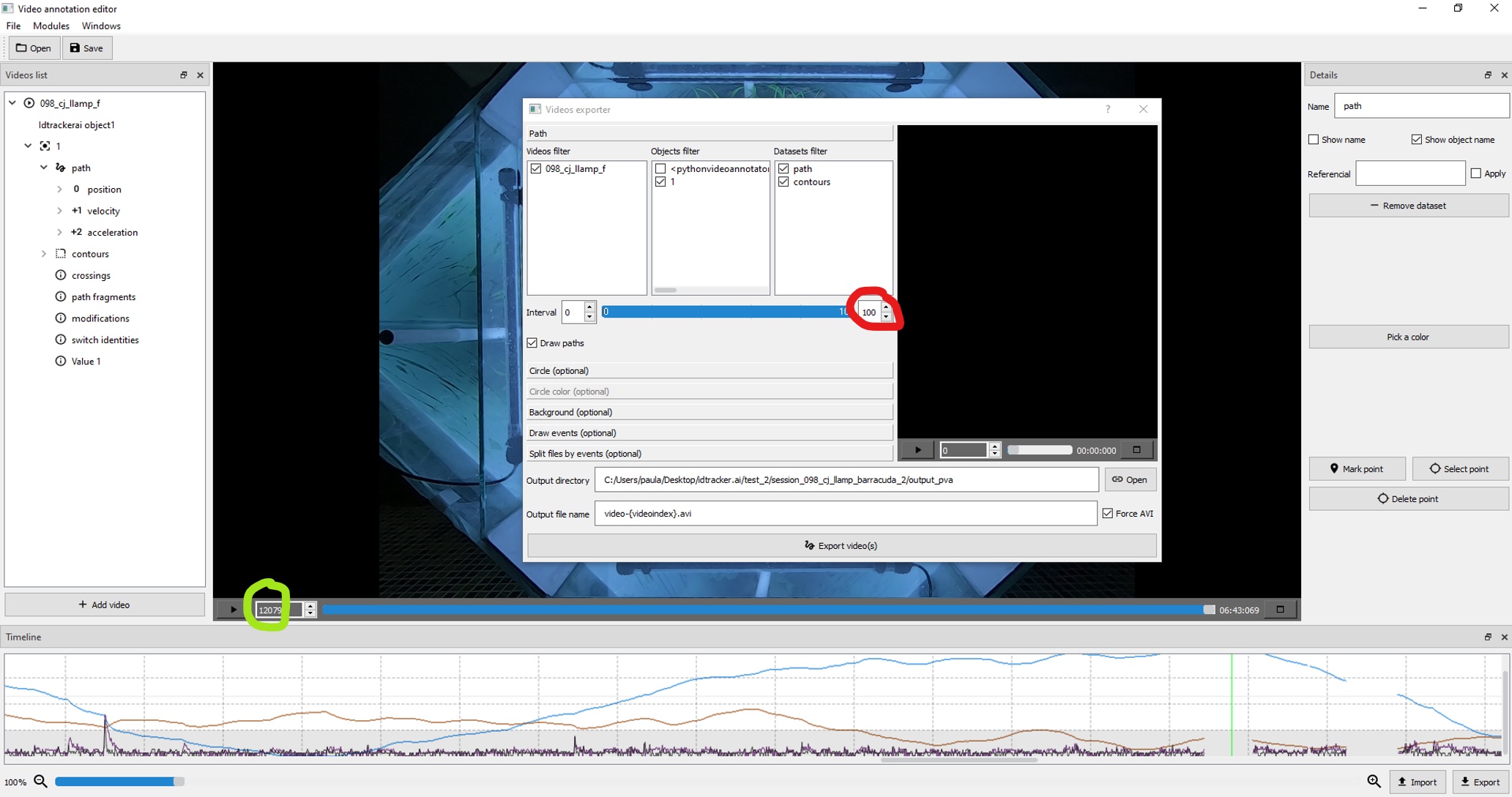
when I am trying to apply some Modules or try to export videos, the interval just show a range from 0-100 getting few milliseconds of the module/video. I suppose that the interval show the number of frames. My videos have 12079 frames and I have no clue how to solve that.
Attached a screenshot of the Export video screen.
Desktop (please complete the following information):
- OS: Windows 10 Pro
- Python Video Annotator Version 3.306
Any help would be very much appreciated!
Activity
miguelgaspar24 commentedon Aug 25, 2021
I realize this issue was raised a long time ago, but i think there's no harm in leaving a reply for future reference, since I had the same problem and then found the workaround. In this case, as in many option windows within Python Video Annotator, when making a video selection, just checking the checkbox is not enough. Instead, you need to both check the box next to the video name AND click on the video name (green rectangle in the image below). Once you do both of those, you should see the end interval (red circle below) match the length of your movie, and you can then freely and properly set your time intervals.
Figure 1. Having only the checkbox marked (green rectangle) shows the same issue raised above with the end frame being capped at 20 (red circle).
Figure 2. Marking the checkbox AND clicking on the video name (green rectangle, notice the blue hue) properly allows you to control the full range of time (red circle).
Cheers,
Miguel