Repository navigation
[BUG] microphone detected but not working on 2022 Razer Blade 15 #5989
Description

Describe the bug
I've installed Ubuntu 22.04 on a 2022 Razer Blade 15. Audio playback appears to be working (apart from L/R audio channels being flipped), but the built in microphone, while detected, doesn't seem to be recording any sound. This was tested by going to the ubuntu sound settings, making some noise and not seeing any activity from the meter.
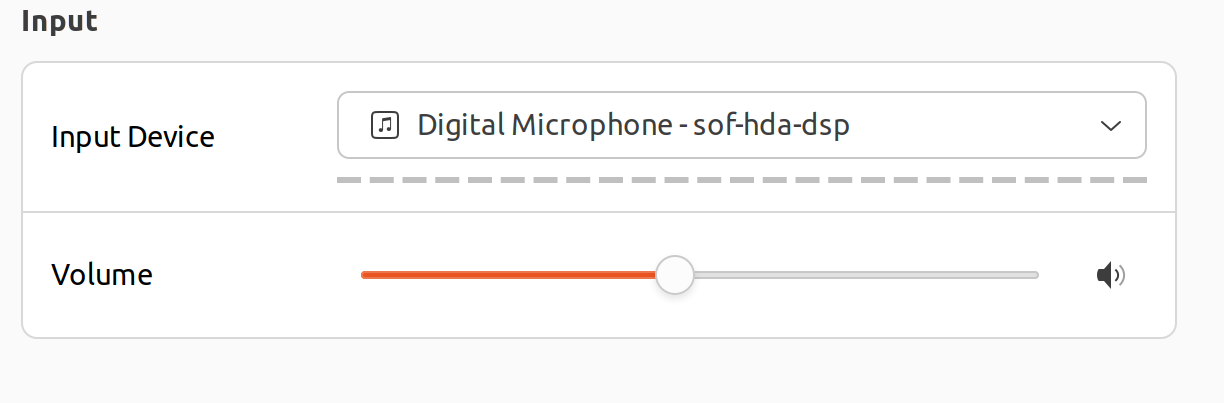
I'm unfamiliar with linux sound, but I'm willing to do some digging in. Thank you for your time!
To Reproduce
Clean install of Ubuntu 22.04. I have updated the kernel to 5.17.3 to get wifi support.
Reproduction Rate
100%
Expected behavior
I expect the microphone to record when enabled.
Impact
I can't use the built in microphone for video conferencing. I haven't tried wired/bluetooth or USB microphones as a workaround just yet.
Environment
- Branch name and commit hash of the 2 repositories: sof (firmware/topology) and linux (kernel driver).
- Kernel: f6a218ea3564d2c2e53199577929e02e173a499c
- SOF: I'm not quite sure. I've installed firmware-sof-signed 2.0-1ubuntu3
- Name of the topology file
- Topology: I'm not sure how to determine this... I've included a link to the alsa-info artifact, but nothing sticks out to me as having this information
- Name of the platform(s) on which the bug is observed.
- Platform: x86_64
Screenshots or console output
http://alsa-project.org/db/?f=625e3480bfdd42663c730e65229c8619950e749c
Activity
plbossart commentedon Jul 6, 2022
There's no smoking gun @ewfuentes, the only part where we have a known issue is the case of 2 DMICs connected to PDM1, instead of the usual PDM0.
Can you please add this to /etc/modprobe.d/alsa-base.conf
reboot and run this command
check that the DMIC device is card 0, device 6, then
Try to record your voice during this 10s test, and then look at the test.wav file with audacity.
If you see any signs of life on 2 channels, we have a mic configuration issue. If you see nothing, then something else is at play.
Hope this helps.
ewfuentes commentedon Jul 6, 2022
After adding the option to alsa-base.conf,
arecord -lshows the microphone as being on card 1 (instead of 0) device 6.I used the following command to record myself (note the device and
-finstead of-s):Looking at the wav file in audacity shows some promise! There are 4 channels and channels 3 and 4 contain me speaking. Channels 1 and 2 have some audio artifact , but are otherwise silent.
Screenshot of the wav file:
Screenshot of the audio artifact:
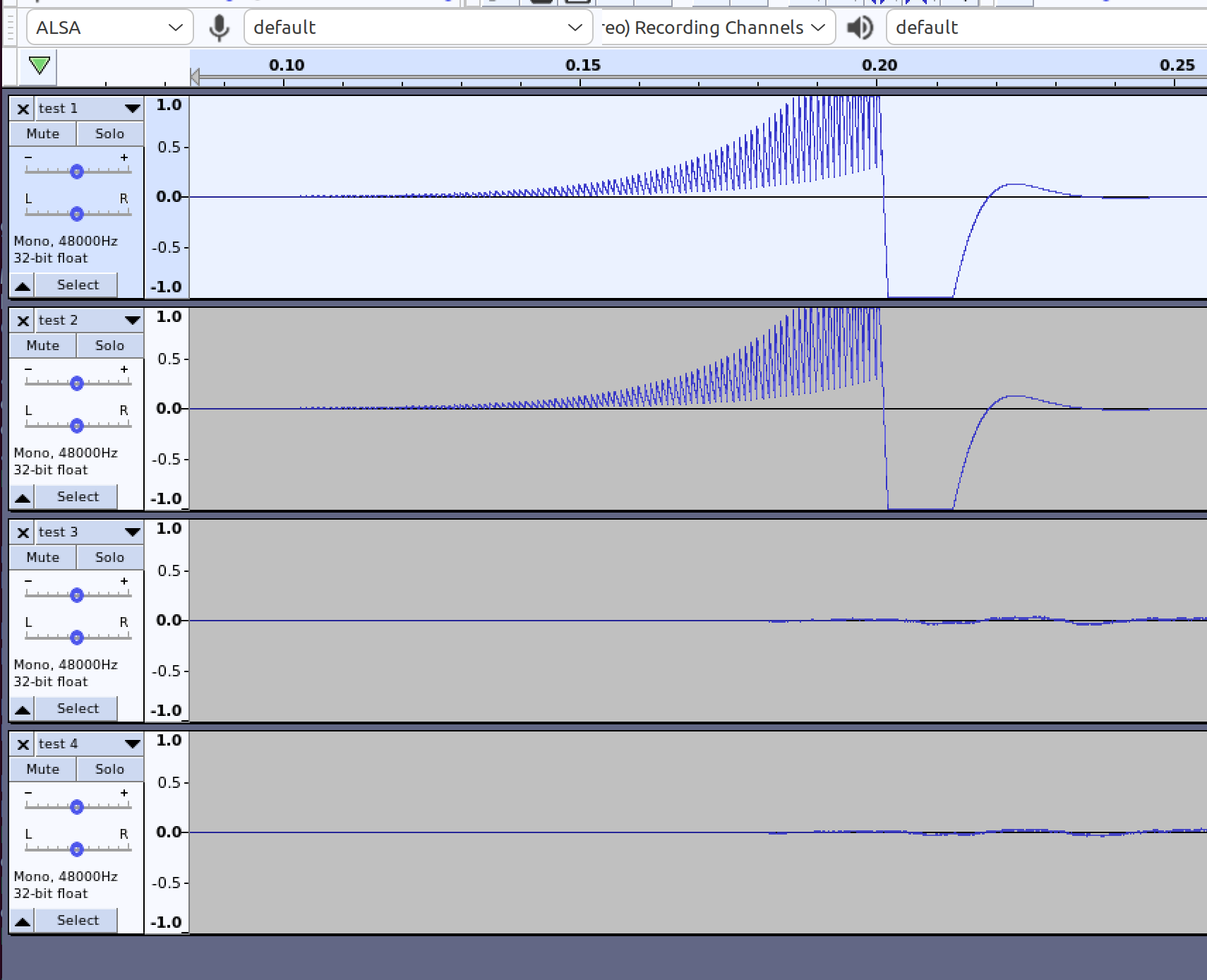
For what it's worth, the audio meter in the sound settings and google meet don't appear to recognize any audio.
plbossart commentedon Jul 6, 2022
ok, so please remove the 'options' from /etc/modprobe.d/alsa-base.conf and follow the guidance in this link: thesofproject/linux#2460 (comment)
"
The solution for Lenovo devices is to try to use the topology provided in https://github.com/thesofproject/linux/files/5981682/sof-hda-generic-2ch-pdm1.zip
Unzip and copy sof-hda-generic-2ch-pdm1.tplg over /lib/firmware/intel/sof-tplg/sof-hda-generic-2ch.tplg (KEEP THE INITIAL VERSION AS A BACKUP).
"
ewfuentes commentedon Jul 6, 2022
That did the trick! Thank you so much for your help! Is there anything else that needs to happen? Is there some way I can help fix this for others?
plbossart commentedon Jul 6, 2022
excellent @ewfuentes
Can you do me a favor and retest with this file
sof-hda-generic-2ch-pdm1.tplg.gz
it should be the same functionality as before, just trying to make sure the updated file is correct.
ewfuentes commentedon Jul 6, 2022
Should I copy it over as
sof-hda-generic-2ch.tplg, or should I paste it with it's existing name?plbossart commentedon Jul 6, 2022
copy it over as sof-hda-generic-2ch.tplg
ewfuentes commentedon Jul 6, 2022
hmmm... That one didn't seem to work. Here's what I've got for hashes:
let me try reverting to the previous one.
ewfuentes commentedon Jul 6, 2022
Confirming that the original topology you pointed me to works (
d3d7af69). Whereas the new one does not (df3fab3e). This was verified by trying to record in Audacity.plbossart commentedon Jul 6, 2022
Can you try with this update
sof-hda-generic-2ch.tplg.gz
I only hard-coded a PDM0 to PDM1 change, if that doesn't work we'll have to ask @singalsu for help.
There are additional changes in the config that I don't quite get, the old working file has this
DMIC_CONFIG(1, 500000, 4800000, 40, 60, 48000,
and the newer files:
DMIC_CONFIG(1, 2400000, 4800000, 40, 60, 48000,
ewfuentes commentedon Jul 6, 2022
The one you just sent me (
dd17ba1a) does work.plbossart commentedon Jul 6, 2022
ok, that's good @ewfuentes. I had a mistake in my M4 file, fixed now.
So the short story is that you have a working solution. If you want a long-term solution, we will have this topology file included in official releases (2.3+) and you will be able to use a kernel parameter to select the topology (no file override required). Unfortunately, we have a number of bugs in the kernel override so you will need additional patches from thesofproject/linux#3740.
topology1: intel-generic-dmic: add macro to enable PDM1 for 2ch cases
topology1: generate new sof-hda-generic version for 2ch PDM1
16 remaining items
plbossart commentedon Oct 22, 2022
Please try also with this added to /etc/modprobe.d/alsa-base.conf:
options snd-intel-dspcfg dsp_driver=1
this will force the use of the legacy HDaudio driver. You will lose the ability to use the microphone, but that should confirm the left-right inversion at the amplifier level. Thanks.
wsxarcher commentedon Oct 22, 2022
With
options snd-intel-dspcfg dsp_driver=1I confirm that the speakers are still reversed (the headphones remain correct). I also hear a background noise while playing audio but I guess it's a problem with the legacy driver.gregory112 commentedon Oct 22, 2022
@wsxarcher Are your speakers by any chance like to play a high pitched sound sometimes when not connected to any other outputs? I'm just checking as in Linux my razer blade also likes to output a long high pitched sound that cannot be disabled even if I mute the output volume, and it goes away by itself sometimes after around 5 minutes or less.
The speakers don't do this if I have external outputs connected, like bluetooth or audio interface, and so on.
wsxarcher commentedon Oct 22, 2022
@gregory112 Never happened but I mostly use external audio
plbossart commentedon Oct 24, 2022
Thanks @wsxarcher
@tiwai would you have any recommendations to try and switch the amplifier channels, is this something that can be done with a quirk?
tiwai commentedon Oct 24, 2022
Hrm, channel swaps have almost never happened on HD-audio (since HD-audio channels are always stereo, hence most of hardware implementations are in stereo, too). There is no such quirk, so far.
Does the sound work as expected on Windows?
gregory112 commentedon Oct 25, 2022
@tiwai Yes it does work as intended in Windows. In Windows it is detected as Realtek Audio Codec with THX Spatial Audio. It has THX Spatial Audio, not sure what this means in Linux though.
@wsxarcher Just FYI, perhaps you never use Spotify or Discord like I do but it does seem that it is outputting high-pitched sound when I open Discord or Spotify or both and the sound vanish when I close both (or one of them? I'm kinda not sure).
tiwai commentedon Oct 25, 2022
And the channel swap happens on both the speaker and the headphone outputs? Or it's only on speakers?
wsxarcher commentedon Oct 25, 2022
Only on the speakers
tiwai commentedon Oct 25, 2022
So there is something below HD-audio that requires some extra setup to correct the connection.
themarpe commentedon Oct 26, 2022
@plbossart
Thanks for this fix! I've initially tried with Kernel 6.0.3 but the audio didn't work at all (neither speakers nor microphone was detected anymore). Updated to 6.0.5 and applied the
alsa.confoption, all works well!mbana commentedon Dec 29, 2022
Firstly thanks for the fix.
I'm running a Razer Blade 2022 with 12th Gen Intel.
Speakers
The speakers work out of the box but they are reversed.
Microphone
The microphone does not work out of the box. I can confirm the fix detailed on https://abarry.org/ubuntu-on-razer-blade-15-2022-advanced/ to get the microphone working on the Razer Blade 2022 works.
Details
I am using Fedora 37.
$ inxi -A Audio: Device-1: Intel Alder Lake PCH-P High Definition Audio driver: sof-audio-pci-intel-tgl Device-2: NVIDIA GA106 High Definition Audio driver: snd_hda_intel Sound API: ALSA v: k6.0.15-300.fc37.x86_64 running: yes Sound Server-1: PipeWire v: 0.3.63 running: yesThe line
[ 7.836829] sof-audio-pci-intel-tgl 0000:00:1f.3: unknown sof_ext_man header type 3 size 0x30looks suspicious.Misc
If you need further information in fixing this so this just works, please ping me.
mbana commentedon Feb 25, 2023
I have the same or similar laptop and on Windows it's reported as "Realtek Audio Codec with THX Spatial Audio" like @gregory112 mentioned.
@tiwai, is t possible to get THX Spatial Audio on Linux somehow?
jheanley commentedon Dec 8, 2023
Adding this in case others wonder if their issue may be fixed by this.
Razer Blade 17 12th gen i7 (2022)
I was having exactly same issues
Left/Right output channels work, but are switched. No Mic input (device appears to be registered
New topology file fixed mic issue (THANK-YOU!)
gregory112 commentedon Oct 26, 2024
Until today I still have this issue. Probably many people still do. Not sure if this is a hardware problem, but I think it is probably best to open a separate issue about this.