You signed in with another tab or window. Reload to refresh your session.You signed out in another tab or window. Reload to refresh your session.You switched accounts on another tab or window. Reload to refresh your session.Dismiss alert
{{ message }}
Repository navigation
A library relies on native code that's not available. Or only works properly when the sketch is run as a 32-bit application #90
@ArthurSongChina, thanks for message! I'm not able to reproduce the error. I noticed your Processing version is 3.0.1, can you try updating to the latest Processing? (And check for any updates for the video library in the contributions manager too.)
@shiffman , Thank you for your instruction! I have updated my Processing to the version 3.3.7.
And I tried to remove the Video library and install again(version:Video 1.0.1) ,but I still have the same problem.
By the way, your processing tutorial on Youtube is great.
I was getting this exact same error in v3.3.7, and it turned out to be because I had non-ASCII characters in my Processing path. If that's your case, try changing the sketchbook location to something like C:\Processing in File > Preferences.
@ludcila Thank you for your instruction. Even thought My laptop is MacBook, but I understand that the problem was that I have not put the sketchbook location in the system hard disk。
Hey All, I'm getting a same error on Ubuntu 16.04 (Running processing 3.3.7): UnsatisfiedLinkError: Error looking up function 'gst_date_get_type': /usr/lib/x86_64-linux-gnu/libgstreamer-1.0.so.0.803.0: undefined symbol: gst_date_get_type A library relies on native code that's not available. Or only works properly when the sketch is run as a 32-bit application.
Any ideas how to solve this?
Tanks!
Reacted by Lucas Ferreira, anarchitectures, Chen Chen, George Profenza, Jack Kalish, Dwi Satrio W. and Jesse Bourret-Gheysen
ok I solved all the errors by installing libgstreamer and gstreamer: sudo apt-get install libgstreamer-plugins-base0.10-dev libgstreamer0.10-dev libglib2.0-dev
sudo apt-get install gstreamer0.10-plugins-good
`
But the video still doesn't play. tried both .mp4 and .mov files.
The code runs as expected on windows.
Found the solution by using a version of the video library created by @gohai details and Zip download here: #84
Tested on both on Ubuntu 16 and 18 64bit.
For reference, I'm using Windows 10 and recently started using a second user account for all my VJ / interactive work. Not sure if this has anything to do with it?
I'm trying to confirm if the current Processing 3.4 video library 1.0.1 supports Gstreamer 1.0 or not with Linux?
It's not clear in the documentation if the video library 1.0.1 is only for use with the very old (and no longer maintained) GStreamer 0.10. Most current Linux distributions no longer have GStreamer 0.10 available their repositories -> makes sense to me.
Can someone please confirm if my interpretation of video library 1.0.1 vs Release 3 (version 2.0-beta1) is correct regarding GStreamer?
If yes, you must use Release 3 (version 2.0-beta1) with the Gstreamer 1.0 API, are there detailed instructions for installing the Release 3 (version 2.0-beta1) video library on Processing 3.4 on Ubuntu Linux (or any current Linux distribution)? I can't find any appropriate instructions for properly installing this Release 3 (version 2.0-beta1) video library on Processing 3.4 on Linux. I see the source code folders for the library on Github and the file is easy enough to download. But no where is anything documented on how to install the library properly on Processing 3.4 on Linux using the source code zip or tar file.
I currently have the video library 1.0.1 on Processing 3.4 on Ubuntu Linux 18.04 and that doesn't seem to work with gstreamer 1.0 API from the error messages I'm seeing in the Processing 3.4 console.
Can someone let me know on the above issue with regard to Processing 3.4 and the Gstreamer 0.10 and 1.0 APIs. It's important to determine whether we should continue to do the development of our app with Processing or not, given the fact that GStreamer 1.0 has been around for a very long time and Processing doesn't seem to have a firm roadmap to work with GStreamer 1.0.
@vepicurean you're correct that only version 2.0-beta1 supports GStreamer 1.x (I'm the maintainer of the underlying GStreamer Java bindings). You should be OK with the beta version of the video library. You could also look at PraxisLIVE (and the PraxisCORE runtime), which might offer a more stable and efficient way of using Processing and GStreamer 1.x together. Or if you're comfortable with Java code you could use the bindings directly, with or without Processing. Depends what you're building really! I can help you with the non-Processing elements of this - contact me via the PraxisLIVE website.
Maybe it's me just completely missing how to properly install the version 2.0-beta1 video library on Processing 3.4. I tried this procedure https://github.com/processing/processing/wiki/How-to-Install-a-Contributed-Library to install the version 2.0-beta1 video library manually, but no success getting the library to work (probably something I'm not doing right given the instructions are straight forward for manual install of a library on Processing. But maybe I'm putting things in the wrong place).
If I can at least get the instructions/procedure to manually install version 2.0-beta1 video library so that all apps can use the version 2.0-beta1 video library on Processing 3.4 and then test this works with GStreamer 1.0 on our Ubuntu 18.04 server, then I can see how much additional work would need to be done with our Processing based app.
Thanks for the information on PraxisLive. I'll research it and discuss with the team and get back to you.
Any progress on this? I'm trying to update my contributed computer vision library (BoofCV) but I can't test many of the old/new features without a functioning webcam. I'm running Processing 3.4 + Ubuntu 18.04 on a x64 system.
Reacted by Alexandre B A Villares, Lucas Ferreira, anarchitectures and Byron
The first part is just getting the video stream, detecting the motion of pixels and if they move , display them as black. Up until then, it was all running smooth, I was able to get a video stream from my camera and paint black the moving pixels detected.
Afterwards, you'll notice the commented part of my code which was the extra functionality I was trying to add.
i.e I added a particle system class and a particle class in order to achieve a motion trail of particles for each moving pixel in the video.
I'll try today to tinker this script with PraxisLIVE as well.
Will let you know if I have any update.
Why did you add the 60 in there? I get the same error with that - try just
video = new Capture(this, width, height);
By adding the 60 in you're telling the library you want 60fps or nothing. Mind you, it might be better if the pipeline in the Capture component in the library was updated to also use a videorate element, which is what the PraxisLIVE equivalent does.
Hey @neilcsmith-net you were right,
It was the 60fps parameter. I changed it to the new line you've written above and it works now.
Sorry for this mess.
Cheers!
Anyone found a solution to fix this issue.
Looks like Processing 3.5.3 doesn't recognize the newer (beta) version of the video library as it is suggested as an alternative in this thread.
Thanks @codeanticode. Actually this worked through tweaking my Java setup and one or two other configs. (Too bad I didn't document. I may put them here once I remember what I did exactly).

Activity
shiffman commentedon Mar 29, 2018
@ArthurSongChina, thanks for message! I'm not able to reproduce the error. I noticed your Processing version is 3.0.1, can you try updating to the latest Processing? (And check for any updates for the video library in the contributions manager too.)
ArthurSongChina commentedon Mar 29, 2018
@shiffman , Thank you for your instruction! I have updated my Processing to the version 3.3.7.

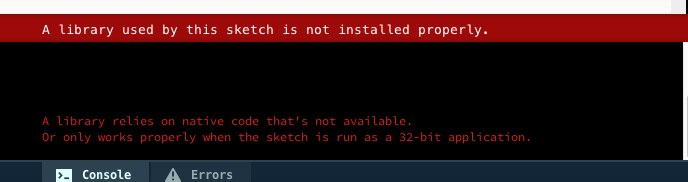
And I tried to remove the Video library and install again(version:Video 1.0.1) ,but I still have the same problem.
By the way, your processing tutorial on Youtube is great.
ludcila commentedon May 2, 2018
I was getting this exact same error in v3.3.7, and it turned out to be because I had non-ASCII characters in my Processing path. If that's your case, try changing the sketchbook location to something like C:\Processing in File > Preferences.
It looks like it's an old issue with a different error message...?
processing/processing#2472
#10
ArthurSongChina commentedon May 2, 2018
@ludcila Thank you for your instruction. Even thought My laptop is MacBook, but I understand that the problem was that I have not put the sketchbook location in the system hard disk。
yurikleb commentedon May 17, 2018
Hey All, I'm getting a same error on Ubuntu 16.04 (Running processing 3.3.7):
UnsatisfiedLinkError: Error looking up function 'gst_date_get_type': /usr/lib/x86_64-linux-gnu/libgstreamer-1.0.so.0.803.0: undefined symbol: gst_date_get_type A library relies on native code that's not available. Or only works properly when the sketch is run as a 32-bit application.Any ideas how to solve this?
Tanks!
yurikleb commentedon May 17, 2018
ok I solved all the errors by installing libgstreamer and gstreamer:
sudo apt-get install libgstreamer-plugins-base0.10-dev libgstreamer0.10-dev libglib2.0-devsudo apt-get install gstreamer0.10-plugins-good
`
But the video still doesn't play. tried both .mp4 and .mov files.
The code runs as expected on windows.
yurikleb commentedon May 19, 2018
Found the solution by using a version of the video library created by @gohai details and Zip download here:
#84
Tested on both on Ubuntu 16 and 18 64bit.
neilcsmith-net commentedon May 19, 2018
@yurikleb try the download at https://github.com/processing/processing-video/releases
danragan commentedon Aug 18, 2018
I'm receiving the same issue, but it's not related to non-ASCII characters. Here's a screen recording of the issue --> https://www.useloom.com/share/e6900e3f5d4342418a7700bdbb35e79f
For reference, I'm using Windows 10 and recently started using a second user account for all my VJ / interactive work. Not sure if this has anything to do with it?
vepicurean commentedon Aug 31, 2018
I'm trying to confirm if the current Processing 3.4 video library 1.0.1 supports Gstreamer 1.0 or not with Linux?
It's not clear in the documentation if the video library 1.0.1 is only for use with the very old (and no longer maintained) GStreamer 0.10. Most current Linux distributions no longer have GStreamer 0.10 available their repositories -> makes sense to me.
From the notes in the Processing wiki, I'm seeing that to use gstreamer 1.0 API with Processing 3.4, I should install this video library Release 3 (version 2.0-beta1) ( https://github.com/processing/processing-video/releases/tag/r3-v2.0-beta1 ) on Linux (Ubuntu 18.04)?
Can someone please confirm if my interpretation of video library 1.0.1 vs Release 3 (version 2.0-beta1) is correct regarding GStreamer?
If yes, you must use Release 3 (version 2.0-beta1) with the Gstreamer 1.0 API, are there detailed instructions for installing the Release 3 (version 2.0-beta1) video library on Processing 3.4 on Ubuntu Linux (or any current Linux distribution)? I can't find any appropriate instructions for properly installing this Release 3 (version 2.0-beta1) video library on Processing 3.4 on Linux. I see the source code folders for the library on Github and the file is easy enough to download. But no where is anything documented on how to install the library properly on Processing 3.4 on Linux using the source code zip or tar file.
I currently have the video library 1.0.1 on Processing 3.4 on Ubuntu Linux 18.04 and that doesn't seem to work with gstreamer 1.0 API from the error messages I'm seeing in the Processing 3.4 console.
vepicurean commentedon Sep 3, 2018
Can someone let me know on the above issue with regard to Processing 3.4 and the Gstreamer 0.10 and 1.0 APIs. It's important to determine whether we should continue to do the development of our app with Processing or not, given the fact that GStreamer 1.0 has been around for a very long time and Processing doesn't seem to have a firm roadmap to work with GStreamer 1.0.
neilcsmith-net commentedon Sep 3, 2018
@vepicurean you're correct that only version 2.0-beta1 supports GStreamer 1.x (I'm the maintainer of the underlying GStreamer Java bindings). You should be OK with the beta version of the video library. You could also look at PraxisLIVE (and the PraxisCORE runtime), which might offer a more stable and efficient way of using Processing and GStreamer 1.x together. Or if you're comfortable with Java code you could use the bindings directly, with or without Processing. Depends what you're building really! I can help you with the non-Processing elements of this - contact me via the PraxisLIVE website.
vepicurean commentedon Sep 4, 2018
Thanks for the reply @neilcsmith-net
Maybe it's me just completely missing how to properly install the version 2.0-beta1 video library on Processing 3.4. I tried this procedure https://github.com/processing/processing/wiki/How-to-Install-a-Contributed-Library to install the version 2.0-beta1 video library manually, but no success getting the library to work (probably something I'm not doing right given the instructions are straight forward for manual install of a library on Processing. But maybe I'm putting things in the wrong place).
If I can at least get the instructions/procedure to manually install version 2.0-beta1 video library so that all apps can use the version 2.0-beta1 video library on Processing 3.4 and then test this works with GStreamer 1.0 on our Ubuntu 18.04 server, then I can see how much additional work would need to be done with our Processing based app.
Thanks for the information on PraxisLive. I'll research it and discuss with the team and get back to you.
Thanks for your help and time.
vepicurean commentedon Sep 6, 2018
If anyone has details instructions to install the version 2.0-beta1 video library on Processing 3.4 it would be appreciated. Thanks.
lessthanoptimal commentedon Oct 8, 2018
Any progress on this? I'm trying to update my contributed computer vision library (BoofCV) but I can't test many of the old/new features without a functioning webcam. I'm running Processing 3.4 + Ubuntu 18.04 on a x64 system.
3 remaining items
meniossin commentedon Feb 14, 2019
Hey @neilcsmith-net , I've posted the original code of the script here > https://gist.github.com/meniossin/2ce5c8e4728aa733547191a7f16b02c1
The first part is just getting the video stream, detecting the motion of pixels and if they move , display them as black. Up until then, it was all running smooth, I was able to get a video stream from my camera and paint black the moving pixels detected.
Afterwards, you'll notice the commented part of my code which was the extra functionality I was trying to add.
i.e I added a particle system class and a particle class in order to achieve a motion trail of particles for each moving pixel in the video.
I'll try today to tinker this script with PraxisLIVE as well.
Will let you know if I have any update.
Thanks!
neilcsmith-net commentedon Feb 14, 2019
@meniossin well, this line is suspicious -
Why did you add the 60 in there? I get the same error with that - try just
By adding the
60in you're telling the library you want 60fps or nothing. Mind you, it might be better if the pipeline in the Capture component in the library was updated to also use avideorateelement, which is what the PraxisLIVE equivalent does.meniossin commentedon Feb 18, 2019
Hey @neilcsmith-net you were right,
It was the 60fps parameter. I changed it to the new line you've written above and it works now.
Sorry for this mess.
Cheers!
sovello commentedon Jul 8, 2019
Anyone found a solution to fix this issue.
Looks like Processing 3.5.3 doesn't recognize the newer (beta) version of the video library as it is suggested as an alternative in this thread.
codeanticode commentedon Jul 17, 2019
@sovello v2.0 beta3 should work on windows, let me know if it does for you.
sovello commentedon Jul 17, 2019
Thanks @codeanticode. Actually this worked through tweaking my Java setup and one or two other configs. (Too bad I didn't document. I may put them here once I remember what I did exactly).
max246 commentedon Jul 17, 2019
@codeanticode Yep the beta version worked for Linux as well :) thanks!
codeanticode commentedon Jul 18, 2019
@max246 great, thanks for letting me know! Sounds like this issue could be closed?
max246 commentedon Jul 19, 2019
It think so, probably you can release the beta to be "final" :)
codeanticode commentedon Aug 1, 2019
Closing, as this issue has been solved in beta3.
zanghsgr commentedon May 28, 2021
how you guys sovle the problem?i dont quite understand.

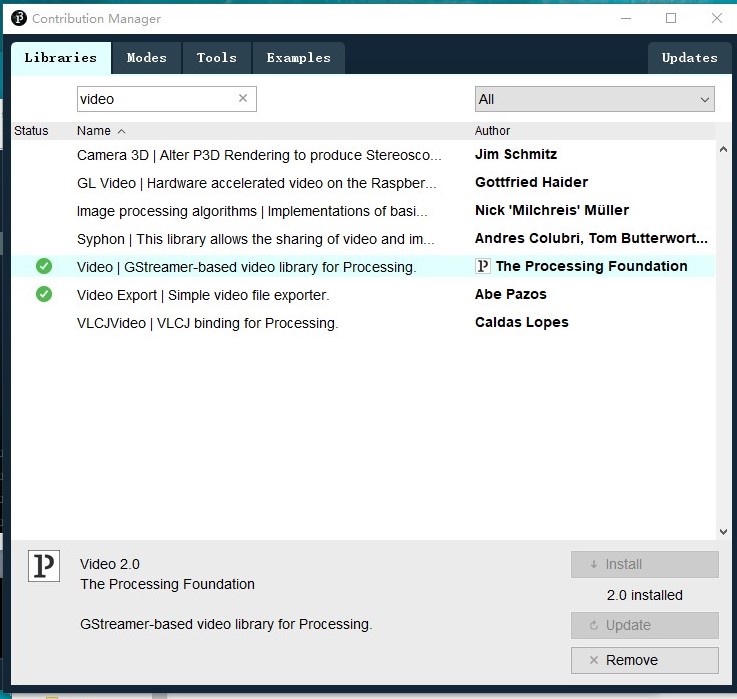
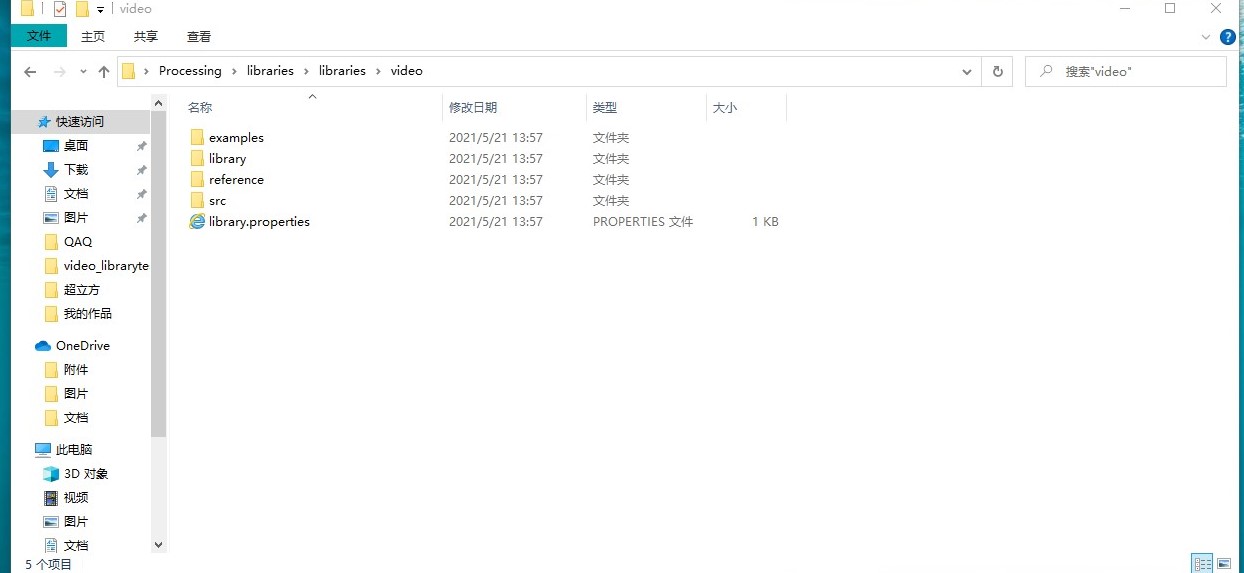
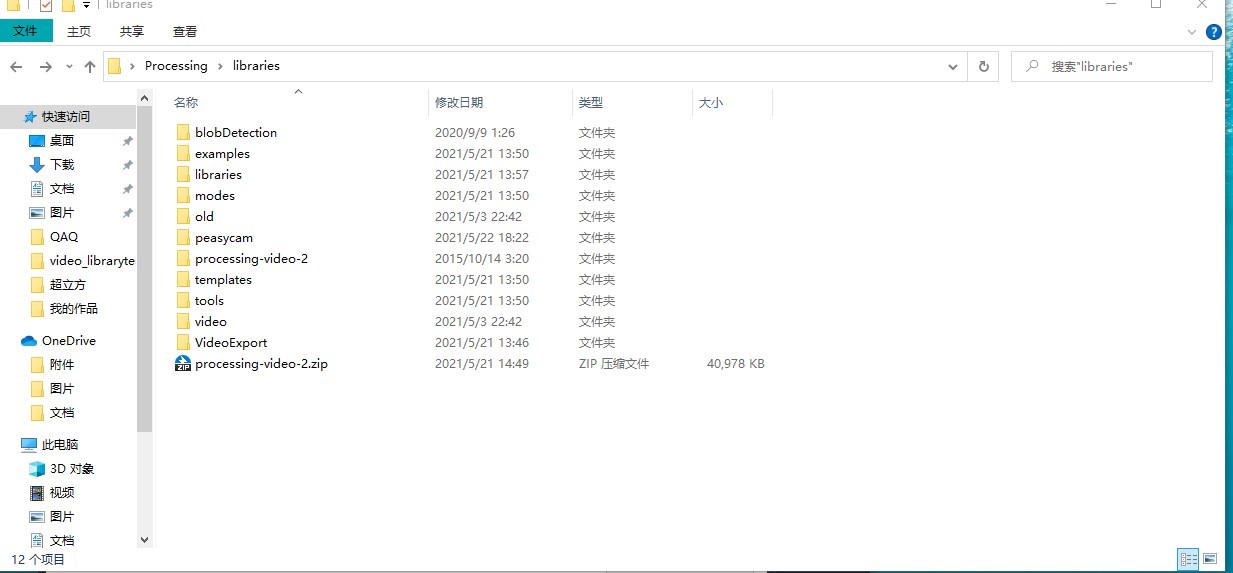
its 2021/5/28 i still have the same problem. i download the library properly.but it just
cant work! it s really annoying
lub34 commentedon Jul 13, 2021
Any update? Im having the same issue on my Jetson Nano, on which Im running Ubuntu 18.04