Repository navigation
(regl) Error compiling fragment shader #2560
Description

Hello everyone,
I'have a problem on my angular 5 project.
I try to use this chart : Polar Chart, but i have an error.
Plotly.js version : 1.35.2
Errors :
file number 0: webpack-internal:///../../../../plotly.js/node_modules/regl-scatter2d/scatter.js:188:21
1| ./marker-frag.glsl | ^^^ | syntax error
Error: (regl) Error compiling fragment shader, webpack-internal:///../../../../plotly.js/node_modules/regl-scatter2d/scatter.js:188:21
at Function.raise (regl.js:45)
at Function.checkShaderError [as shaderError] (regl.js:325)
at Object.getShader [as shader] (regl.js:4937)
at eval (regl.js:6201)
at Function.checkOptional [as optional] (regl.js:418)
at parseShader (regl.js:6200)
at parseProgram (regl.js:6226)
at parseArguments (regl.js:7324)
at Object.compileCommand [as compile] (regl.js:8657)
at compileProcedure (regl.js:9250)
file number 0: webpack-internal:///../../../../plotly.js/node_modules/regl-scatter2d/scatter.js:200:20
1| ./circle-frag.glsl | ^^^ | syntax error
Error: (regl) Error compiling fragment shader, webpack-internal:///../../../../plotly.js/node_modules/regl-scatter2d/scatter.js:200:20
at Function.raise (regl.js:45)
at Function.checkShaderError [as shaderError] (regl.js:325)
at Object.getShader [as shader] (regl.js:4937)
at eval (regl.js:6201)
at Function.checkOptional [as optional] (regl.js:418)
at parseShader (regl.js:6200)
at parseProgram (regl.js:6226)
at parseArguments (regl.js:7324)
at Object.compileCommand [as compile] (regl.js:8657)
at compileProcedure (regl.js:9250)
I use the framwork correctly with good data.
I checked this issue : #2258 but i'm not sure if my problem is link to this.
Thank's you !
Activity
etpinard commentedon Apr 16, 2018
How are you building your bundle?
See #2502 for a similar report.
FrancoisRMR commentedon Apr 16, 2018
I installed the latest version of plotly from npm website.
i import plotly like this :
import * as Plotly from 'plotly.js';Then i init my chart exactly like this : https://codepen.io/plotly/pen/wypMvM
i just replace "plot" by "newPlot" in the last line :
Plotly.plot('myDiv', data, layout);by
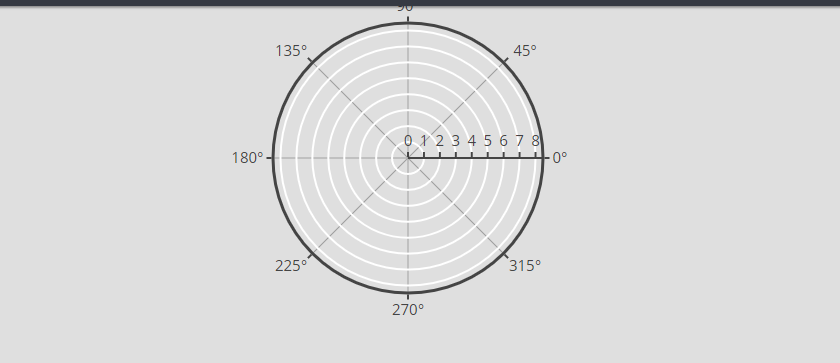
Plotly.newPlot(this.chart1.nativeElement, data, layout);I have this result :
etpinard commentedon Apr 16, 2018
I don't think your problem is caused by your JS script. It is caused by how you're building plotly.js (with webpack I presume).
FrancoisRMR commentedon Apr 17, 2018
Yeah you right, i found my problem:
I did not import this line in my
tsconfig.jsonRelated to this issue : #2260
I have no errors right now but i can't see bubbles like the example on the website :

etpinard commentedon Apr 17, 2018
@vador31 you make it very hard to help you.
Can you paste the full webpack config you're using? While at it, can you paste the JS code you're using as well? Looks like the screenshot from #2560 (comment) uses
scatterpolarwhereas your latest #2560 (comment) uses a legacy r/tscattertrace.FrancoisRMR commentedon Apr 17, 2018
@etpinard yeah sorry, it's because i don't really know where i need to watch to resolve my problem.
I checked this commit which resume my problem.
If I understand correctly, to use
scatterpolar,I have to make anejectof the project in order to retrieve the webpack.config.Then i need to add a loader to use GLSL plots.
Is that correct ??
My chart model :
My webpack.config.js :
I haven't modify my webpack.config.js file.
etpinard commentedon Apr 17, 2018
YES. See -> https://github.com/plotly/plotly.js#building-plotlyjs-with-webpack
FrancoisRMR commentedon Apr 17, 2018
Problem solved !! 👍 Thank's you very very very much !! 😄
mathieuleclaire commentedon Jan 19, 2022
Hi @vador31, could please share your fix for this issue ?