Repository navigation
Auto complete not working for packages except those under @types folder #30474
Description

- VSCode Version: 1.30.2
- OS Version: macOS v10.13.6
Auto complete is one of my favorite features of VS code. But sometimes it doesn't provide what I need.
Steps to Reproduce:
- Create a project with create-react-app:
npx create-react-app test-auto-complete --typescript - Create a empty file
src/test.tsx. - Make sure auto complete works: type
isvalidand get following suggestions

Then confirm:

- Install a typed package from npm. (I made one - safe-touch
- See if auto complete works for the package(type
safeand expect suggestion ofsafeTouch):

Negative :( - There is a difference between the types file of safe-touch and react. Safe-touch's is directly under
node_moduleswhile react's is undernode_modules/@types/. Then I tried to make a folder under@typesfor the package, simplycp -r node_modules/safe-touch node_modules/@types. - See if auto complete works now:
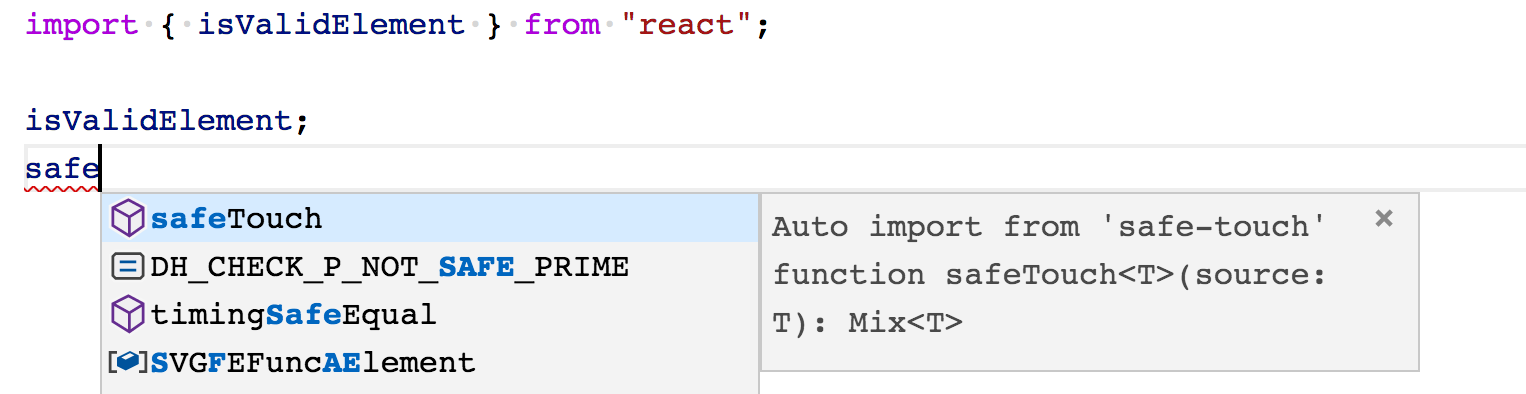
It works! 🎉🎉
So it seems that VS code is not able to auto complete types of node_modules/[package] even if the package is correctly typed?
Does this issue occur when all extensions are disabled?: Yes/No
No
Activity
mjbvz commentedon Mar 18, 2019
Confirmed with 3.4.0-dev.20190316
I believe this may be the same issue as #30033. Once you add
import safeTouch from "safe-touch";anywhere in the project, then we start suggesting it as an auto import in all ts/tsx files.EnixCoda commentedon Mar 19, 2019
Matt Bierner (@mjbvz)
This makes sense and it works. Thank you!