Repository navigation
Screen flashes black & other random behavior in Mojave #794
Description

I don't know how to say it other than the screen goes completely nuts in Mojave. It flashes black when I try to move the cursor, goes entirely black when I type ":", formats in odd ways. seems to jump around in the file. It's just generally bonkers. I fixed it by issuing the following:
defaults write org.vim.MacVim MMUseCGLayerAlways -bool YES
which I don't understand, but got from an earlier post for a similar problem. The attached .zip holds a .mov video screen capture of the problem. All I'm doing is issuing a sequence of j commands, finishing up with a :q .
Activity
aholub commentedon Dec 2, 2018
Actually, the
defaultsfix doesn't fully fix the problem. I'm still seeing occasional bad behavior. The last time macvim crashed entirely. I've attached the crash report.report.txt
arturoherrero commentedon Dec 2, 2018
I have the same problem. I'm not sure if this issue is the same issue described in #751.
longcao commentedon Dec 2, 2018
I'm also seeing this on macOS Mojave 10.14.1, installed with Homebrew:
@aholub And for what it's worth, disabling the Core Text renderer and and restarting MacVim as noted in #751 (comment) seems to fix the issue for me for now.
tkandal commentedon Dec 3, 2018
Hello
After upgrading to latest MacVim on MacOS 10.14.1 with Homebrew, I also have this problem.
Disabling the Core Text renderer as noted in #751 (comment) also fixed my issue.
arturoherrero commentedon Dec 3, 2018
I also disabled the Use Core Text renderer from the preferences and MacVim seems to be stable but I've lost the typography I use and it looks worse.
ychin commentedon Dec 4, 2018
This is a duplicate of #751, and PR #757 just fixed this. Closing.
@arturoherrero Just curious though what did you mean by "losing the typography"? You should be able to turn on Core Text renderer again (which is the default supported path) but I'm curious what the issue was in the non-Core Text renderer.
arturoherrero commentedon Dec 4, 2018
@ychin I'm not sure if you can appreciate with the screenshots.
This is the default preferences:
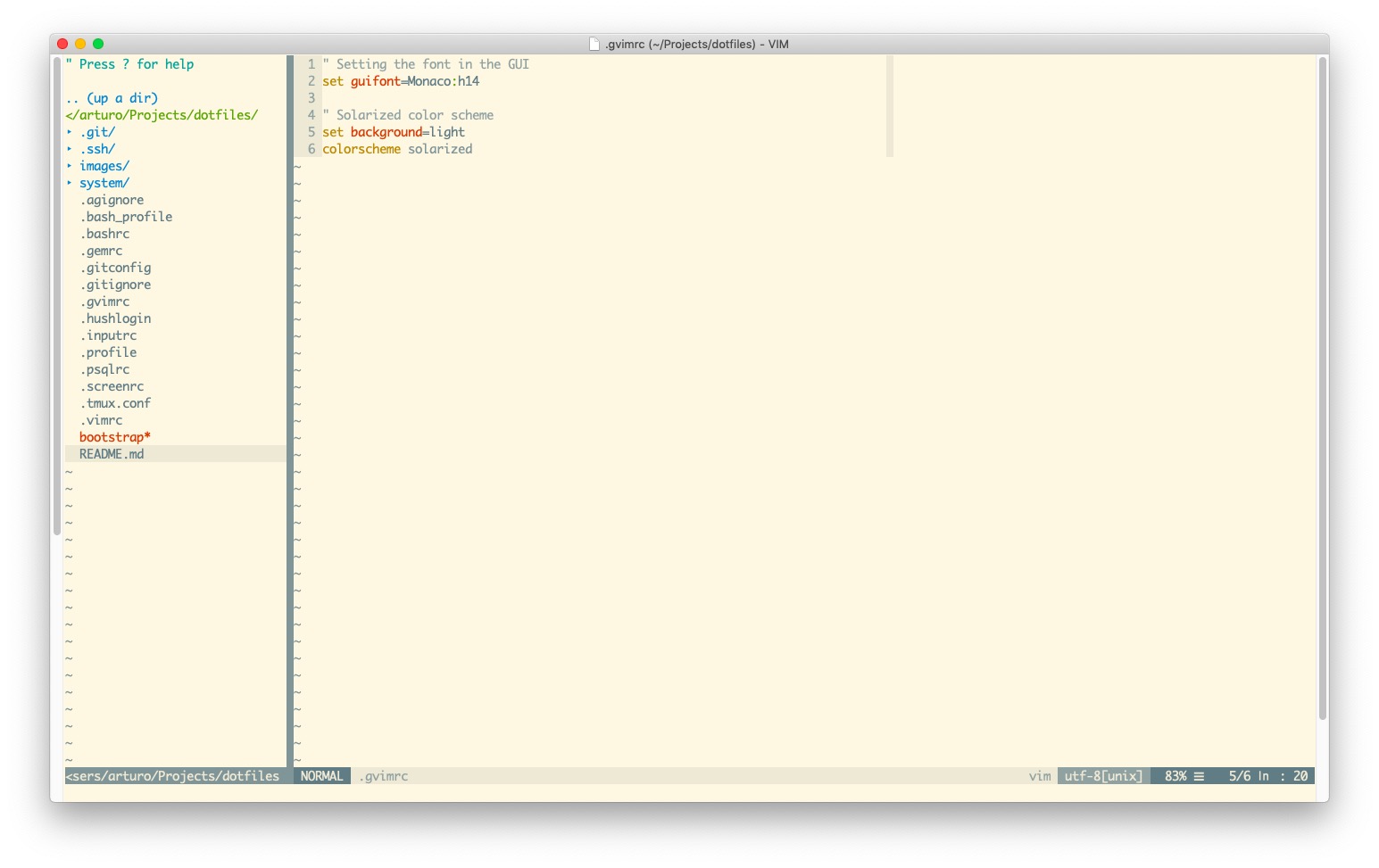
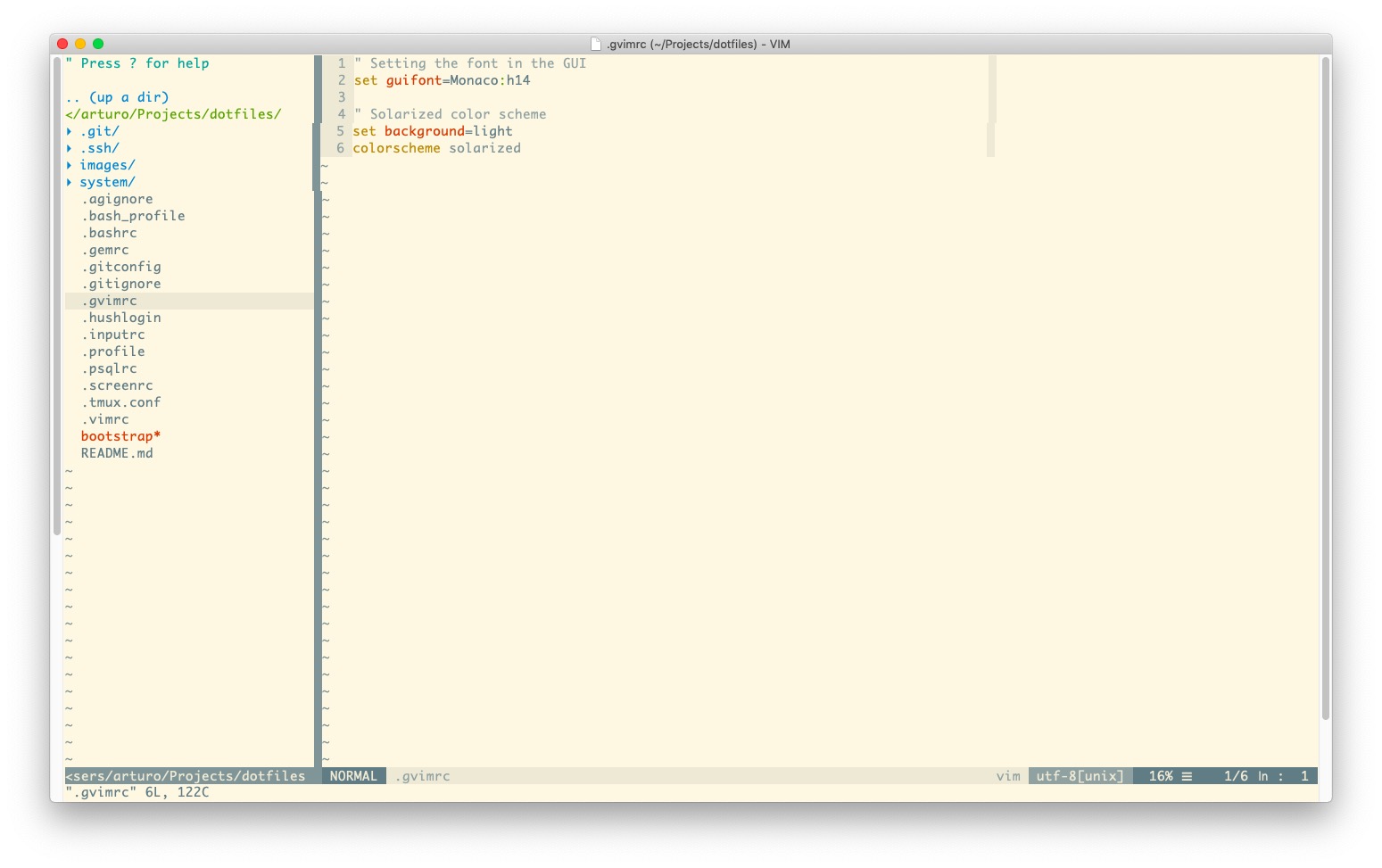
This is the disabled the Use Core Text renderer, the editor looks worst. The NERDTree separation is not straight and there is slightly more space between the elements.
ychin commentedon Dec 4, 2018
Ah ok. Yeah that looks about what I would expect. Hope the fix solved the issue for you.
arturoherrero commentedon Dec 4, 2018
Thanks a lot!