Repository navigation
Window resizing by setting columns and rows doesn't properly redraw it #732
Description

[GUI only]
When vim :set command resizes a window by setting columns and rows directly, MacVim doesn't redraw window with background color set.
Issue is reproducable in all builds at least after 122 and not connected with recent guioptions changes. Earlier don't want to open on my machine and I don't want to investigate reasons. As far as I remember, some earlier builds had no this issue.
Minimal list of commands to reproduce feature on (dark background is for contrast):
colo darkblue
setlocal columns=85
A quick demonstration with opeining Python file:
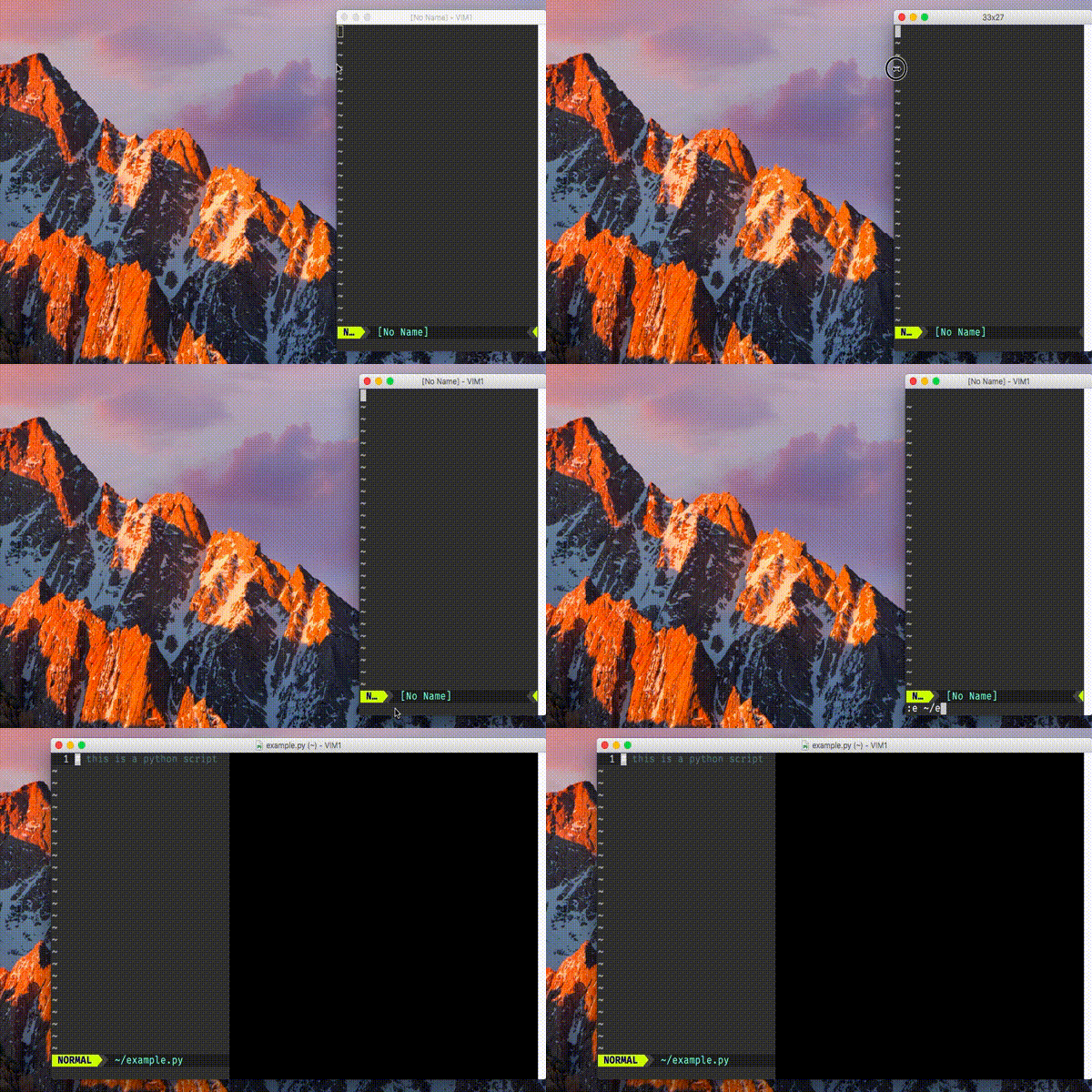
Minimal .vimrc for this demonstration is:
fun! PythonSetup()
    setlocal ts=4 sts=4 sw=4 nu
    setlocal colorcolumn=79
    if has('gui_running')
        setlocal columns=85
    endif
endfun

autocmd FileType python call PythonSetup()
Activity
eirnym commentedon Aug 15, 2018
A while ago I had setting columns for python files in general, but when I've started to work with terminal it started just cut a window if it shorter. Probably, the part of the issue could be inside Vim core itself, but we should check our side first.
eirnym commentedon Aug 15, 2018
BTW, it could be source of a few issues related to window resizing including moving it to an another screen
eirnym commentedon Aug 16, 2018
set
MMUseCGLayerAlwaystoNOhides this issue.in the (#557 (comment)) people recommend the opposite
eirnym commentedon Sep 27, 2018
The workaround is to add to your
vimrcfollowing line:ychin commentedon Dec 10, 2018
I'm closing this issue. It only manifests itself when
MMUseCGLayerAlwaysis set, and there should be no reason for this to be set anymore since all relevant rendering bugs in the default renderers are fixed.Rendering and window behaviors should work properly by default without any secret undocumented settings in all supported OS versions, and you should consider the
MMUseCGLayerAlwayssetting to be deprecated and will be removed in future. If you encounter other resizing and rendering issues without this flag, please file an issue for those separately.