Repository navigation
Proposal: Improve widget selection in the inspector #3489
Description

KR1
Background
“The inspector allows the user to search the summary tree and the details tree by keyword. The inspector searches the part of the details tree that has been loaded by default with an option to search the full details tree enabled by KR 2.”
Proposal
- Add bordered headers for both widget tree and explorer/details areas to isolate browsing/filtering related actions and separate them from the action toolbar above. Tab bar look should reflect the rest of the DevTools (without the grey background).
- Add search functionality to the Widget Tree header. Move the refresh widget tree to the header area.
- Search can target different contexts based on the user input. (Widget/Details/All etc.)
- Rename “Details tree” to “Widget Details Tree” to pair it better with the Widget Tree.
Question: Should we now move the select widget mode to the button group on the right?
Before

After


Search field variations

Normal state a), active search fields with b) and without c) search options (search from widget names, details, all, etc). Floating version d) for narrow spaces
KR2
Background
“The inspector provides a UI affordance to show the complete detail tree. This is essentially a shortcut for performing the following steps: 1) select the root widget in the summary tree and 2) click the details tree tab. Progressive loading might be needed for very large trees.“
Additional input and background information is welcome. Assumption here is that KR2 will support KR1 with more detailed search and navigation. As KR1 can also include “Widget Details Tree” as a search target, this proposal is to make the navigation tree more discoverable.
Proposal
- Add breadcrumb navigation atop of the details tree for easier navigation and to make root level always accessible and easily discoverable.
Before

After

Any input is greatly appreciated!
Activity
kenzieschmoll commentedon Nov 8, 2021
This looks great. For KR1, I like the idea of clicking the search icon for option A animating to search field option B. And as long as there is an active search, the search field would be present - if the search field is empty and it loses focus, the search field would animate closed back to option A.
LGTM to new tab UI and titles, new placement refresh button, and breadcrumb navigator in KR2
InMatrix commentedon Nov 9, 2021
I like the headers. Since we have them now, can we add tooltips to explain what we're showing in each area? For example, a tooltip for the "Widget Tree" header can say, "Widgets used directly to compose your app's UI".
I like the search bar with a scope setting (option B), and I think that setting should persist between search sessions until the user changes it explicitly. It's debatable whether the default search scope should be just the user widgets on the left or all widgets (those on the right).
My question is what exactly happens when the scope is set to "all"? Does the details tree automatically expand to show everything and then matches the search query?
I don't think that's necessary? Let's revisit this when we discuss proposals for KR3.
I like this idea. Could you clarify whether the visible upper levels in the breadcrumb nav are the higher-level user widgets in the tree or the immediate parents of the selected widget in the details tree? It feels like the former based on the mock, but I'm not sure.
CM-Olli commentedon Nov 10, 2021
We would suggest that the search field has 3 scopes:
Here's a visual presentation of these 3 scopes to better highlight the proposed functionality:
Widget: Get matches from widget tree side, but not from details
Details: Highlighting widgets that have matches in its details.
All: Highlighting widgets, that has matches in its details and name and description
Does this sound like a reasonable approach?
Related to "Details" -scope: One question we initially had was the “Details tree” search use cases. Could you clarify the real-world use cases of targeting the search on “Details tree”?
Former, we propose that the breadcrumb visibility should reflect the selected widget on a “Widget tree”.
msavela commentedon Nov 10, 2021
There are obviously some performance concerns with the "Details" -scope and searching the whole "Widget Details Tree". In some cases it can take really long time to finish.
I did some benchmarks around this topic and it took around 15-20 secs when performing "Details" -scope search while debugging DevTools itself. The good news is that the search could be performed asynchronously and matches can be updated as the search progresses.
This might not be a problem with smaller projects, however this could reduce the user experience with more complex widget tree.
InMatrix commentedon Nov 12, 2021
I agree that the "Widget" search scope should be the default. It also matches the location of the search bar.
Searching the whole details tree is not a common use case, but it might be important to Flutter framework engineers and package developers. @Hixie I think you mentioned that you wanted this feature, could you elaborate on your use case?
I'm not sure if we need the "search all" scope, since the user might either just care about the widgets directly used in their project or the full details which include the user widgets which would include the widgets in the summary tree.
Regarding search performance, @kenzieschmoll is there room for optimization here? @msavela It would be helpful to see a demo to understand how well incremental updates of search results work.
kenzieschmoll commentedon Nov 12, 2021
Generally, we could try to do things like cache search results, not search until the string is 2 or 3 chars long, add a delay after a keystroke before triggering a search, or make sure we cancel any search operation if a new one is started.
msavela commentedon Nov 15, 2021
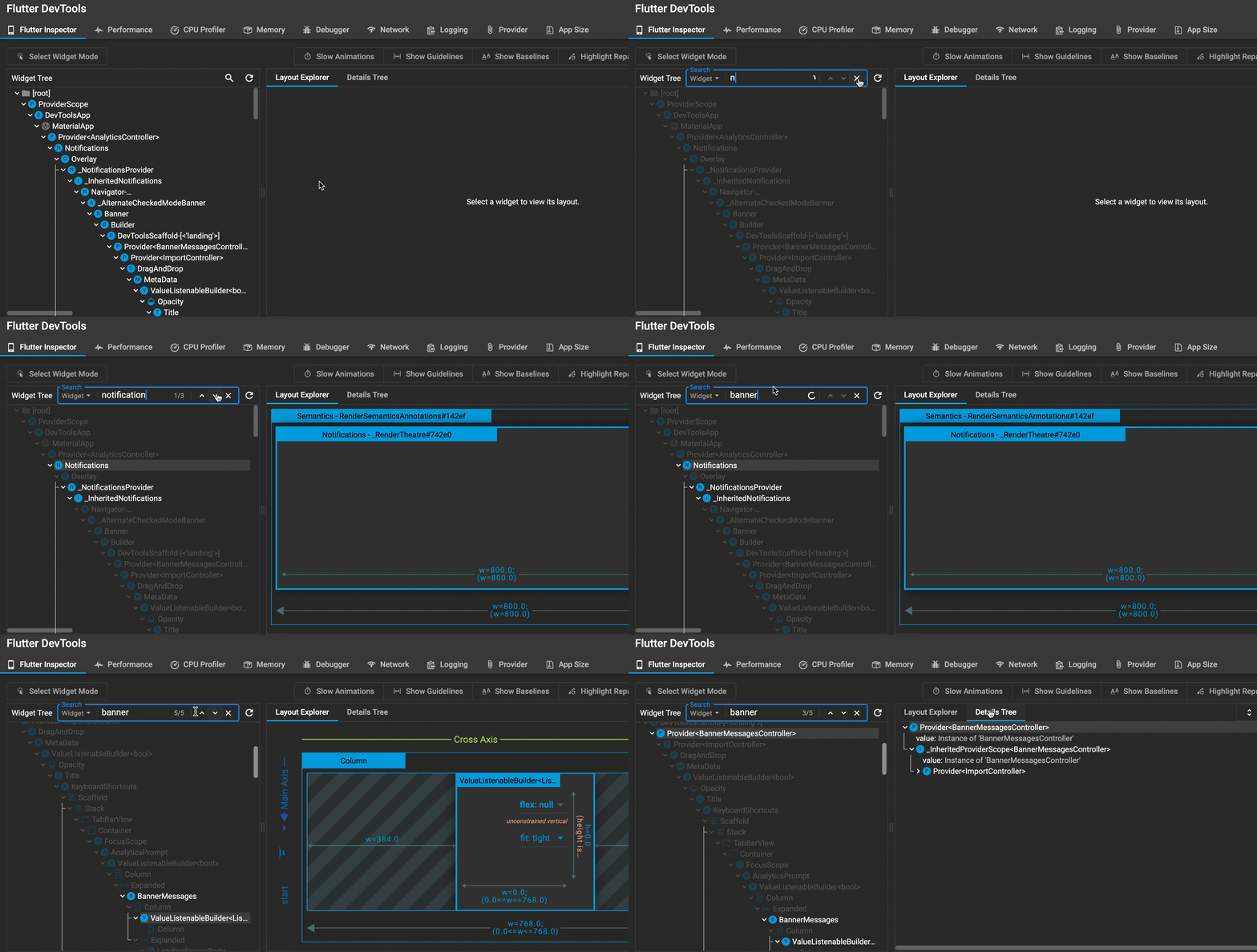
Below you can find brief demonstration of both Widget and Details search in action:
Widget search
Details search
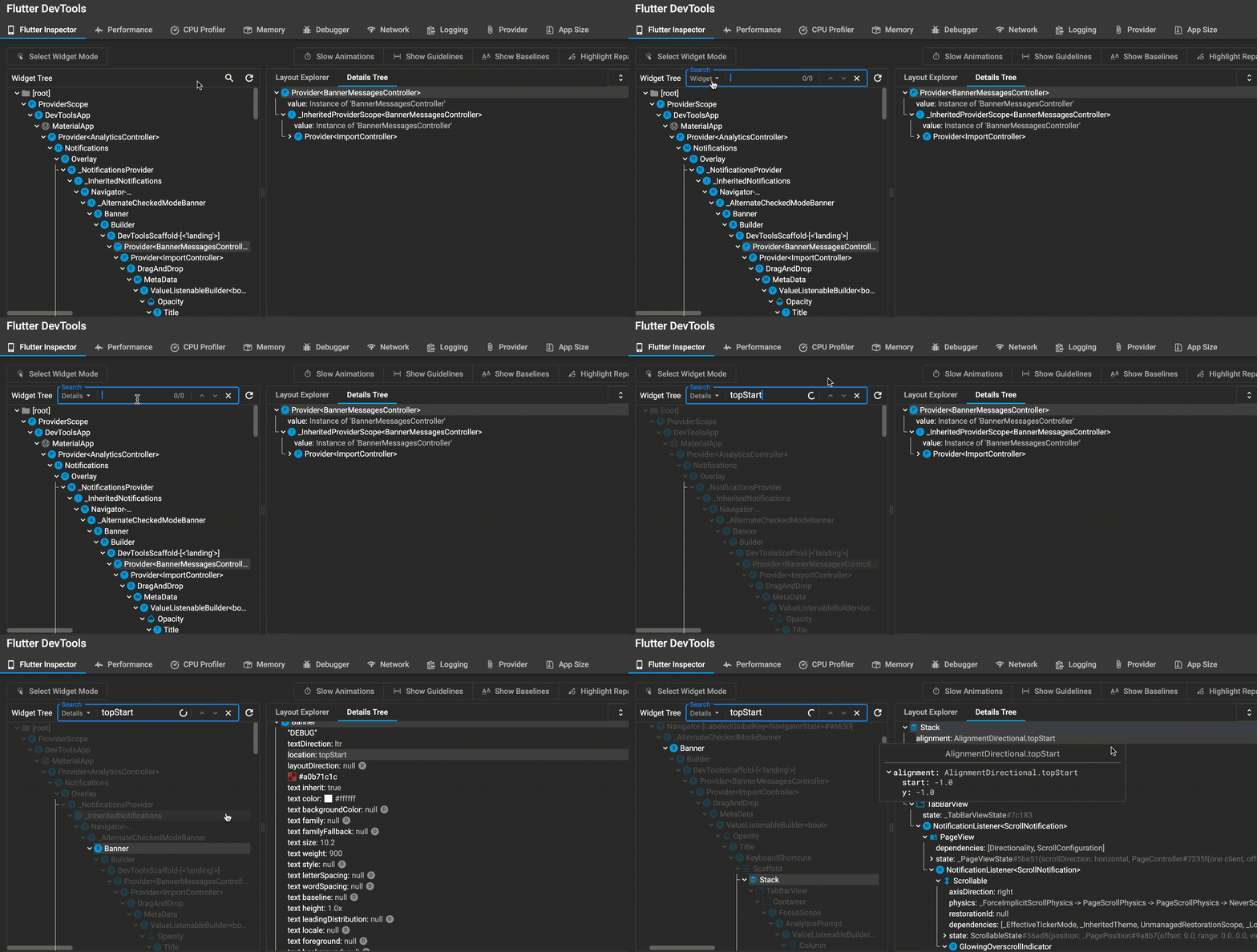
^ Above you can see how the incremental search results would work
InMatrix commentedon Nov 17, 2021
Re: performance concern in searching the details tree. Can we do some time-boxed investigation into performance improvements? I followed up on the use case with @Hixie on Discord (link to the messages). It seems that we can focus on searching widget names. @Hixie also suggested representing the widget tree data differently to improve performance.
msavela commentedon Nov 17, 2021
I agree that this would be a good approach. We should first focus on Widget -search and rest of the proposed changes. Once that implementation is finished and PR is open we can time-box this performance investigation together for separated work item and possible PR.
Improve widget selection in the inspector (Related ticket: flutter#3489)
Improve widget selection in the inspector (Related ticket: flutter#3489)
Removed details tree search (flutter#3489)
Highlight search matches with orange color (flutter#3489)
Changed the orange color of search highlight (flutter#3489)
Highlight preview only instead of the whole item (flutter#3489)
77 remaining items
Remove dropdown border (flutter#3489)
Reset match index when search target changes (flutter#3489)
Highlight details tree search matches using 'focused' style (flutter#…
Do not look for matches in hidden properties (flutter#3489)
Allow only one line of property name and description (flutter#3489)
Fix rebase issues (flutter#3489)
aednlaxer commentedon Dec 22, 2021
KR1: I've created a draft PR with experimental widget detail search: #3552 Kindly ask you to check how performant it is. As mentioned above, search may take several seconds when widget tree is huge (for example devtools is debugging itself)
InMatrix commentedon Dec 22, 2021
@aednlaxer Thanks for the update. I requested @kenzieschmoll to look at the performance of your PR.
For the search single-select vs. continuous-select question, we probably won't be able to resolve it until @jacob314, who made the original implementation of this functionality, is back in January.
Update memory_* goldens (flutter#3489)
Update memory_* goldens (flutter#3489)
Update memory_* goldens (flutter#3489)
Inspector widget selection improvements (#3489) (#3525)
Fix issues after merge (flutter#3489)
InMatrix commentedon Jan 12, 2022
Updated: we're likely to prototype an alternate widget selection workflow this quarter, so the user won't exit the active selection mode until they explicitly do so using the selection mode toggle button on the inspector page. There is a separate bug tracking that work: #3567. The UX design work will be on hold until we have an opportunity to examine the alternate workflow in action.