Repository navigation
Add type annotations as code lens #2368
Description

This is a feature request.
The type annotations displayed above value definitions in VS Code is really useful:

It would be great if we could utilise the 'code lens' feature of Visual Studio, as shown below:

I'm not sure how difficult this would be to add, but I'm under the impression that the code lens code is available on Roslyn:
https://github.com/dotnet/roslyn/blob/614299ff83da9959fa07131c6d0ffbc58873b6ae/src/Features/CSharp/Portable/CodeLens/CSharpCodeLensDisplayInfoService.cs
Activity
vasily-kirichenko commentedon Feb 4, 2017
I looked at it earlier, the problem is that the API is ISyntaxNode based, which we don't support.
vasily-kirichenko commentedon Feb 4, 2017
(BTW, I personally don't like the ionide feature - too much noise)
forki commentedon Feb 4, 2017
The signature feature is amazing. I really love it.
vasily-kirichenko commentedon Feb 4, 2017
@forki go ahead :)
forki commentedon Feb 4, 2017
No I don't love it that much ;-)
saul commentedon Feb 4, 2017
Obviously if it was to be implemented we'd need to give the option to disable it in the settings.
cartermp commentedon Feb 4, 2017
I'm not sure how best to approach this - from what I understand, the CodeLens APIs themselves are closed source, so I believe that there is first a dependency on making them open. I can try to reach out to the people who own that area to see how feasible it would be to open them up so that the F# community can start implementing things like this feature request.
In terms of specifically making CodeLens show type signatures, I agree that it's a cool thing and also agree that it ought to be toggled. I'm not too sure about making it on by default, though. It's a somewhat divisive feature, and a lot of care would have to go in to making sure that it isn't too "jumpy". I know @Krzysztof-Cieslak had to do some work here and may be able to offer some advice on that.
vasily-kirichenko commentedon Feb 4, 2017
Type signatures in Ionide as "jumpy" as before. It makes the feature even less enjoyable.
cartermp commentedon Feb 4, 2017
Right, and I would say that if it were implemented, it should be off by default until a non-jumpy implementation could get implemented.
cartermp commentedon Feb 4, 2017
All of this would be preceded by proper support for configurability, though.
Krzysztof-Cieslak commentedon Feb 4, 2017
I've fixed some performance issue we had in FSAC with finding locations of CodeLenses but it doesn't remove "jumpy effect" completely (and it wouldn't be problem here since smarter people than me would implement it anyway :) )
I believe the core problem with "jumpy effect" right now is the fact that:
parseResults.GetNavigationItems().Declarationsseems to return empty list if the file is in not-parseable state (what makes sense)I'm pretty sure "jumpy effect" can be eliminated by providing stale results (either with empty CodeLens [it would at least keep position, so editor won't remove those additional lines] or with also stale signatures)
realvictorprm commentedon Apr 23, 2017
I would like to give it a try. I talked with @cloudRoutine about some implementation details which need to be tested. If something works I'll report it here.
28 remaining items
realvictorprm commentedon Apr 26, 2017
Just for showing other people the progress here too:
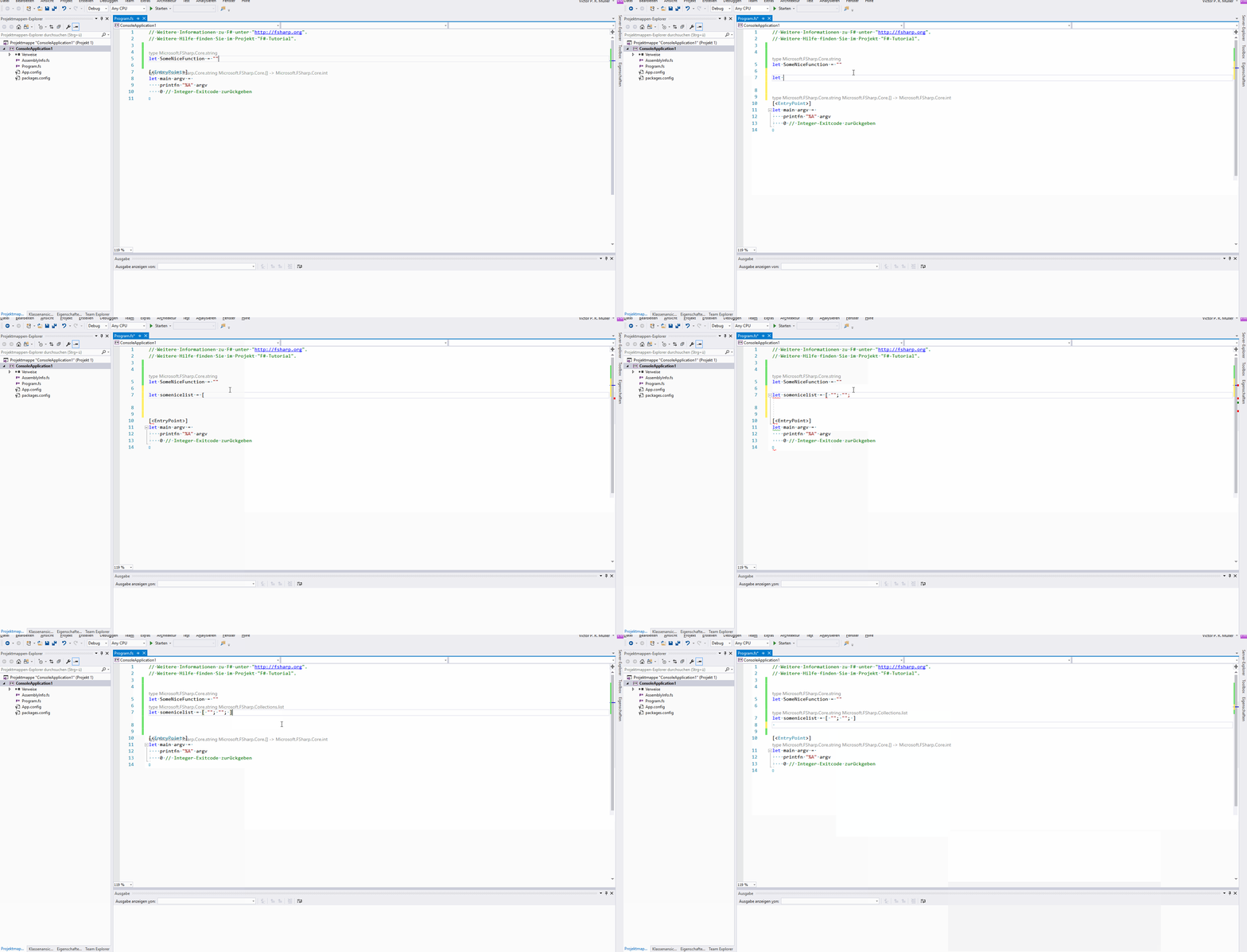
Okay, I'll look into it @vasily-kirichenko There's still some small bugs left in the code lens, e.g. members of types where the signature should be
intbut isunit -> int(which logically is correctly but we don't apply unit. I guess it's done internal)vasily-kirichenko commentedon Apr 26, 2017
@realvictorprm Pull my PR please.
realvictorprm commentedon Sep 19, 2017
I consider to change my current PR to add only "sideways" Code-Lens similar to those recently added to Ionide. I think those could work without big problems.
cartermp commentedon Jun 29, 2018
This is now implemented, though experimental. Closing for posterity.
erlis commentedon Aug 9, 2018
Is there a way I can test this, even its experimental phase?
cartermp commentedon Aug 9, 2018
@erlis If you use VS 15.8 Preview, you can turn it on via Settings > Text Editor > F#.
toburger commentedon Aug 23, 2018
Is there a way to disable the F# Language Service logging for this feature? I normally have the output window open (and the option "Show Output window when build starts" set) and it distracts quite a bit when working in the text editor and the logging kicks in.
Apart from that I like this feature! First it was a bit awkward to have the code lens on the right of the definition and changed it to be on top, but the editor window was jumping around while editing the source code and I changed it back to be on the right.
cartermp commentedon Aug 23, 2018
@toburger This is done in #5145 and tracked by #5188