Repository navigation
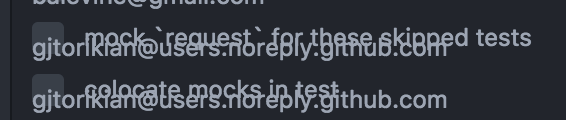
Git pane shows emails in place of avatars when starting Atom without internet #1528
Description

Description
Starting Atom with no network connectivity, the Git pane will show my email address in the place of committer's avatar, which looks... troublesome.🔥
I also noticed that upon reconnecting, the avatars would not load, even after committing something as a user whose commits are visible in the history (the new commit gets the avatar alright, but older commits from the same user are not updated).
Steps to Reproduce
- Disconnect from the internets (fear not, you can reconnect later if this thought disturbs you)
- Start Atom Beta 1.28-beta.3
- Open a project with some commits and open the Git pane
- Observe email shown where avatars normally appear (see screenshots)
Expected behavior:
Probably some dummy avatar or empty space or something like that, definitely not my email in place of a picture
Actual behavior:
Email shown in place where my beautiful picture used to be before I lost my internets
Reproduces how often:
Too many times
Versions
atom-beta --version
Atom    : 1.28.0-beta3
Electron: 2.0.1
Chrome  : 61.0.3163.100
Node    : 8.9.3

apm-beta --version
apm  1.19.0
npm  3.10.10
node 6.9.5 x64
atom 1.28.0-beta3
python 2.7.15
git 2.17.1
Additional Information
State of Git pane after starting Atom Beta without network connectivity:

State of Git pane after reconnecting and committing something:

Activity
rsese commentedon Jun 14, 2018
Thanks for the report - I can reproduce with Atom 1.29.0-dev-0422e0d61 on macOS 10.12.6.
I did notice that a repository I had open recently didn't show this behavior (I had atom/atom open recently and the avatars showed up with no internet connection). But then I opened a random repository I had cloned and see the same thing as in your screenshot.
zionio commentedon Aug 17, 2018
Same problem with 1.29.0 x64 on macOS 10.13.6
without internet connection
email in git tab
no avatars
with internet direct connection
avatars ok in git tab
with internet connection through vpn (ip route add default via vpn)
default avatar image, not mine in git tab
(*.githubusercontent.com it's not blocked ofc)
Tnx for Atom! :)
kadamska commentedon Aug 29, 2018
Same here. Additionally, I'm on a connection where the gravatar domain is forbidden, so even with internet connection, the emails overlap commit messages.
gjtorikian commentedon Sep 2, 2018
Was going to come in and report this. @smashwilson Would you accept a PR from me that fixed this?
smashwilson commentedon Sep 4, 2018
@gjtorikian Yeah, definitely. I wasn't sure what the best fix was that wouldn't harm accessibility 🤔