Repository navigation
Choosing changed file shows "File has no contents" when file definitely has changes #1422
Description

Description
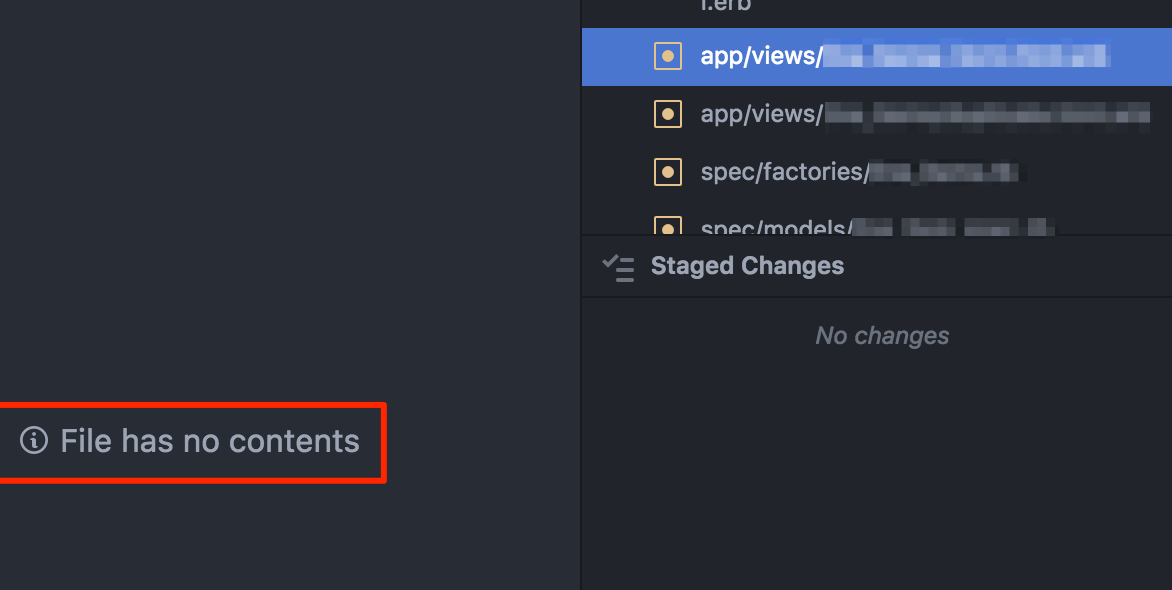
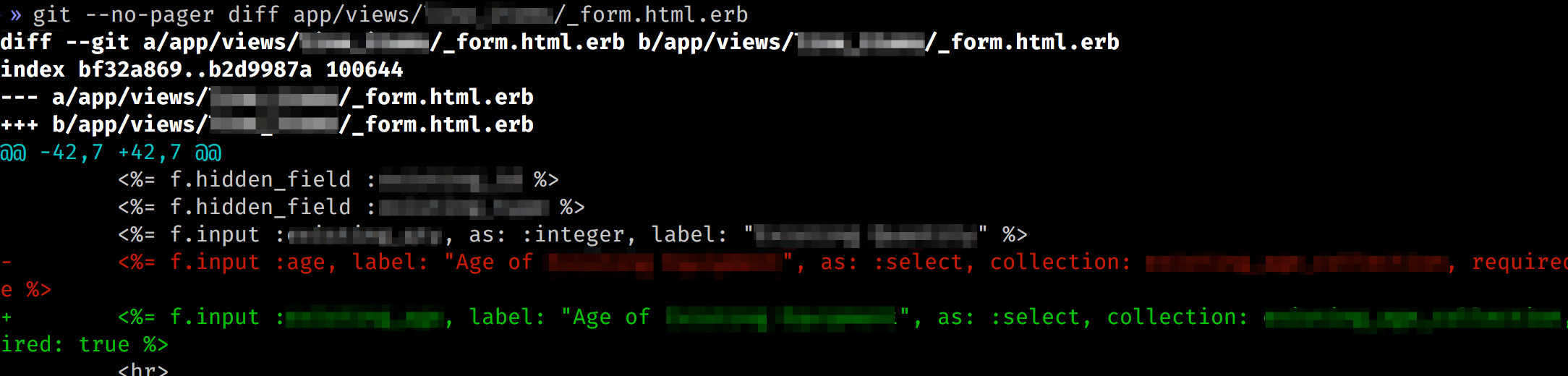
If I single click on an item in the Unstaged Changes area (that definitely has changes), I see "File has no contents", but when I do "git diff" from the terminal, it has changes.
Steps to Reproduce
Uncertain how to reproduce reliably, as it seems to happen completely at random.
- Click a file under "unstaged changes"
- Observe
Closing the Git bar doesn't change it, however, these things do fix the problem:
- making an additional change to the file
- restarting Atom
- reloading the Atom window with "Window: Reload"
Expected behavior:
It shows the diff contents.
Actual behavior:
It says "File has no contents" instead.
Reproduces how often:
At least once per work day, small percentage of the usage time but frequent enough in practice.
Versions
Atom : 1.26.0
Electron: 1.7.11
Chrome : 58.0.3029.110
Node : 7.9.0
apm 1.19.0
npm 3.10.10
node 6.9.5 x64
atom 1.26.0
python 2.7.10
git 2.16.1
MacOS 10.12.6
Additional Information
Atom says file has no contents:
Diff definitely has contents:
Activity
rsese commentedon Apr 25, 2018
Thanks for the report - just a few questions to try and get more details:
atom --safe)?Arcanemagus commentedon May 26, 2018
Thank you for your issue!
We haven't gotten a response to our questions in our comment #1422 (comment). With only the information that is currently in the issue, we don't have enough information to take action. I'm going to close this but don't hesitate to reach out if you have or find the answers we need, we'll be happy to reopen the issue.
TrilceAC commentedon Jan 24, 2019
I have just hit this issue. What I have observed is that the icon of the project has changed to an icon of a simple folder, and that I was unable to see the diff of modified files, but was able to see the diff of new files.
Digging a bit on this, it has just come to my mind that some days ago I was forced to change my password. We use kerberos to authenticate to the services of my institution and there is a policy to force password renewals. My credentieals to our git server changed, but I forgot to update the credentials soterd on my keyring. This caused git, and atom too, to be unable to connect to the server. I was just using old credentials.
If you hit this issue, check that you can stablish connection to your git server using the command line. Check this to assure that there are no other issues, because it seems to me that this behaviour happens when atom using git fails to connect to the server and cannot retrieve data from it.
Hope it helps.