This repository was archived by the owner on Nov 30, 2018. It is now read-only.
Repository navigation
This repository was archived by the owner on Nov 30, 2018. It is now read-only.
Add Image Layer(OverlayView) with entire image #2011
Description

How to add an image layer with an entire image?
I know by using map type you can add image tiles with zoom, x, and y.
However, I only have entire image and I just need to simply display the image with its bounds
Is there any example to implement this simple case?
Here is the image url
'https://www.lib.utexas.edu/maps/historical/newark_nj_1922.jpg'
Here are the image bounds.
swBound is 40.73660837340877, -74.01852328
neBound is 40.75214181, -73.99661518216243
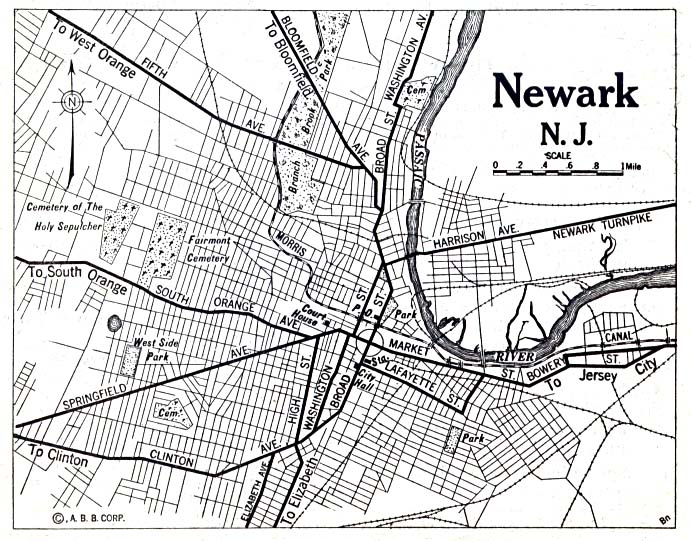
I've been searching this for days, I don't find an easy way to implement it with angualr-google-maps
Activity
[-]Add Image Layer with entire image not split into tile[/-][+]Add Image Layer(OverlayView) with entire image not split into tile[/+][-]Add Image Layer(OverlayView) with entire image not split into tile[/-][+]Add Image Layer(OverlayView) with entire image[/+]r-havelka commentedon Mar 15, 2018
Just started looking into doing something like this for time zones, did you ever get it figured out?
tianxu0836 commentedon Mar 15, 2018
@r-havelka unfortunately no..
mcepo commentedon Mar 16, 2018
https://github.com/mcepo/web-project/blob/38a1e05a4580c88aaf2503e842f75f4856f8212a/public_html/js/angular/services/map-apis/google/image-manager.service.js#L109
Hope this gets you started