

Product page and documentation
Local Notion is an open-source command-line tool for keeping Notion content on your own storage and using it for backups, offline reading, websites, and applications.
The official repository is Sphere10/LocalNotion. The original HermanSchoenfeld/LocalNotion repository remains the upstream source.
- Local backups: Download pages, databases, attachments, and underlying objects.
- Continuous synchronization: Poll Notion for changes and update your local repository.
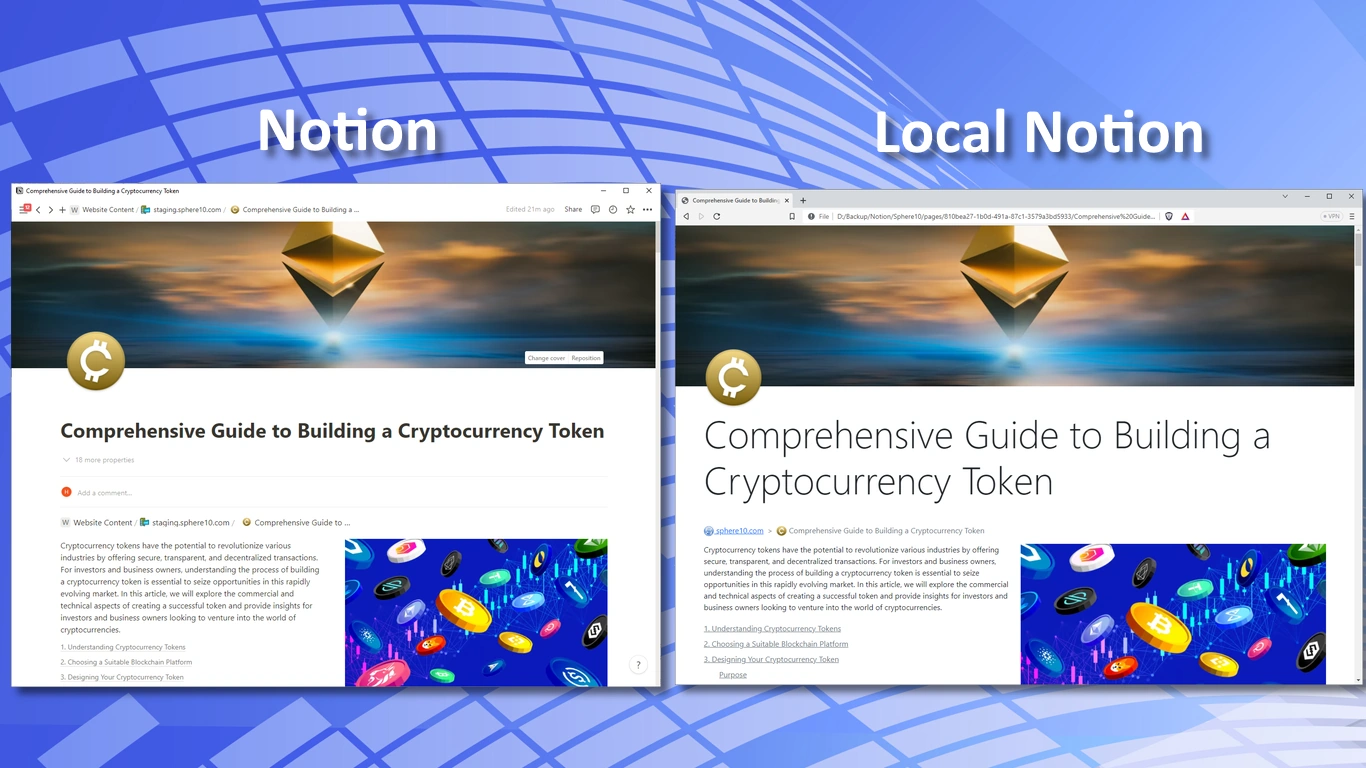
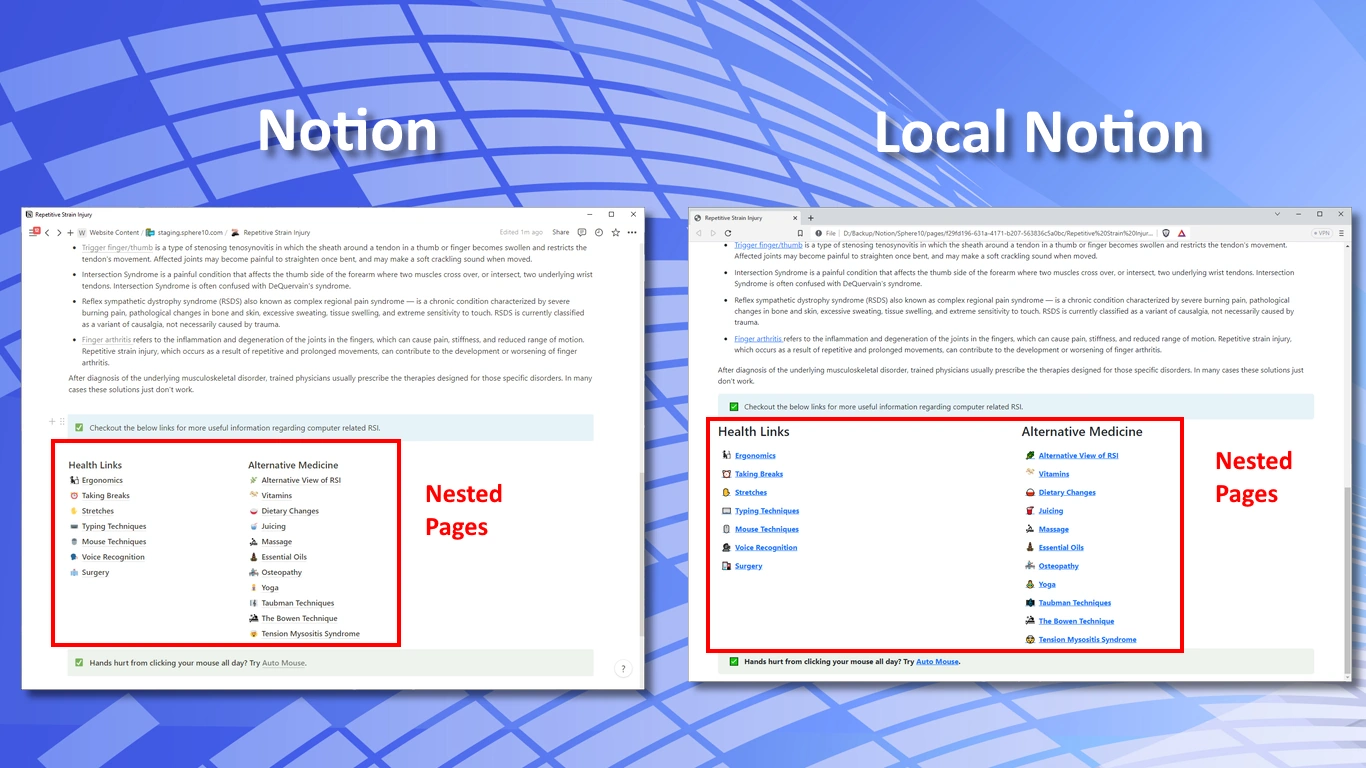
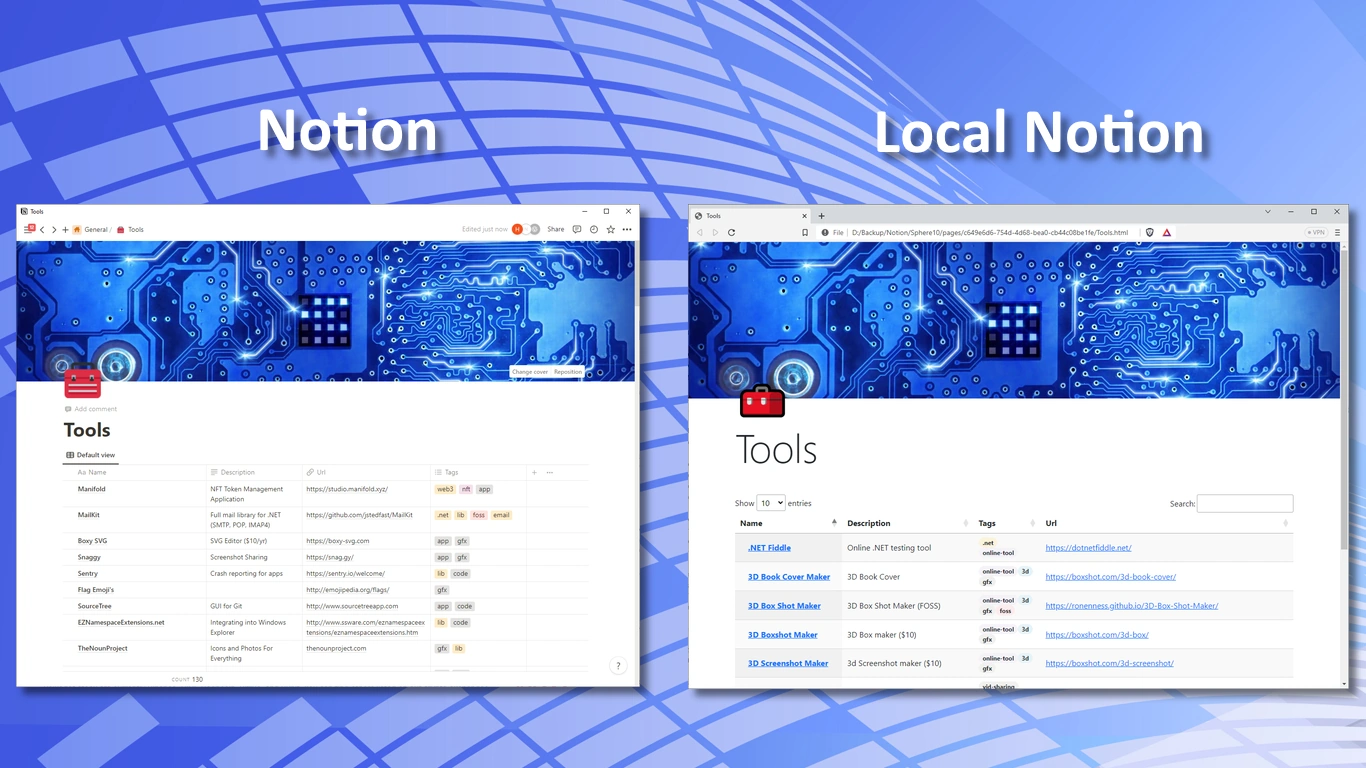
- HTML export: Browse downloaded content without depending on Notion's renderer.
- Custom themes: Control the appearance of exported pages and databases.
- Offline publications: Create linked HTML for e-books, manuals, and other distributable content.
- Website content: Use Notion as a CMS and generate HTML for a web server.
- Application integration: Download and render content for users of your own backend.
- Git history: Track changes to local content through Git.
Workspace restore is listed as coming soon on the Local Notion product page.
LocalNotion uses the MIT-licensed Sphere10.Framework.Web.VisualRenderer library. Workspace builds use its updated source; package builds require an explicitly selected compatible version. See rendering integration.
Download a native archive to run Local Notion directly on Windows, Linux, or macOS. Unified releases use the same asset names, so these links follow the latest published GitHub release.
| Platform | Download |
|---|---|
| Windows x64 | localnotion-win-x64.zip |
| Windows x86 | localnotion-win-x86.zip |
| Windows ARM64 | localnotion-win-arm64.zip |
| Linux x64 | localnotion-linux-x64.tar.gz |
| Linux ARM64 | localnotion-linux-arm64.tar.gz |
| Linux ARM | localnotion-linux-arm.tar.gz |
| macOS Intel | localnotion-osx-x64.tar.gz |
| macOS Apple Silicon | localnotion-osx-arm64.tar.gz |
Each unified release includes release notes, SHA-256 checksums, and release metadata. Browse all releases for earlier versions.
See the changelog for command, CMS and packaging changes in version 1.7.0.
Extract the complete archive and keep native libraries and supporting files beside the executable. Run .\localnotion.exe --help on Windows or ./localnotion --help on Linux/macOS for portable use. A separate .NET installation is not required.
For installation under your user account, run .\install.bat on Windows or sh ./install.sh on Linux/macOS from the extracted directory. Windows supports -InstallRoot and -NoPath; Unix supports --prefix. The included README explains the version directories and PATH setup. These helpers retain earlier installations. macOS archives are unsigned and are not notarized by Apple.
Use the Local Notion product page for the product overview, and these guides for setup and operation:
- How Local Notion Works: repositories, stored files, themes, and rendering profiles.
- Getting Started: create a Notion integration and grant it access to your content.
- Local Notion Manual: installation, CLI commands, and rendering options.
- CMS guide: create a website database, understand its fields, compose pages and shared framing, select themes, and publish a Notion-authored website.
Available from Local Notion 1.7.0, create-cms creates one empty Notion database with the canonical website schema and preset Type, Status, Tags, and Themes options. Connect your Notion integration to the intended parent page first. Put its token in a private file and set NOTION_API_KEY_FILE to that file's path, then run:
localnotion create-cms --parent <notion-page-id> --title "My Website"The command prints the new database ID and URL. It leaves zero active content rows; one temporary setup row is retained in Notion's Trash to work around its 100-option request limit. It does not copy existing website content, initialize a local repository, or publish a website. See Create a CMS for credentials, required permissions, version availability, and the next steps. Build your first website provides a complete example.
- Windows, Linux, or macOS
- .NET 11 SDK (the SDK version is selected by global.json)
- Visual Studio 2026 (18.0+) for optional Windows IDE builds
Note: This repository includes projects targeting both .NET 11 and .NET Standard 2.0. Install the .NET 11 SDK selected by global.json to build the full solution.
LocalNotion has no Enterprise package, license activation, repository quota or page quota. It uses the MIT Framework application lifecycle and the MIT Sphere10.Framework.Web.VisualRenderer library.
The default build uses post-DRM-extraction Framework source from a sibling
../Framework directory. Set Sphere10FrameworkRoot to use another checkout.
It must contain src/Sphere10.Framework, src/Sphere10.Framework.Data and
src/Sphere10.Framework.Application, with the DRM implementation removed from
Application. No Enterprise checkout, private package feed or product key is needed.
The clean Framework source, including the visual renderer, is public in HermanSchoenfeld/Sphere10.Framework. The exact tested commit is recorded in build/framework-source.ref. Use that pin when reproducing the source build. Framework.Application 3.1.2 still contains legacy DRM and is not supported. Package builds require one exact, tested clean Framework version for all references. See the Framework publishing guide for stable and prerelease installation. Source changes do not update installed LocalNotion executables or publish a LocalNotion release.
From the repository root, with the clean Framework checkout (including
src/Sphere10.Framework.Web.VisualRenderer) available:
dotnet build LocalNotion.sln -c Release -p:BuildNumber=0 -p:BuildRevision=0
dotnet test tests/LocalNotion.Core.Tests/LocalNotion.Core.Tests.csproj -c Release -p:BuildNumber=0 -p:BuildRevision=0
For a different source location, add
-p:Sphere10FrameworkRoot=/absolute/path/to/Framework. Explicit build numbers
avoid incrementing the checkouts' local build counters. The renderer uses the same Framework root and package version. See renderer build modes
to select an explicitly versioned renderer package instead.
Package mode restores a separately produced and verified clean package set
from the private Gitea NuGet registry, without a Framework source checkout.
Configure its service-index URL and credentials in your user-level NuGet
configuration under the source name sphere10-gitea-private. Keep credentials
outside this repository. NuGet.Config maps Framework packages to
that source and third-party packages to NuGet.org; source builds still need no
private feed.
Select one exact clean Framework version explicitly for restore, build and test:
dotnet build LocalNotion.sln -c Release -p:BuildNumber=0 -p:BuildRevision=0 -p:UseSphere10FrameworkSource=false -p:Sphere10FrameworkVersion=3.2.0-ci.160.43660265392.1
dotnet test tests/LocalNotion.Core.Tests/LocalNotion.Core.Tests.csproj -c Release -p:BuildNumber=0 -p:BuildRevision=0 -p:UseSphere10FrameworkSource=false -p:Sphere10FrameworkVersion=3.2.0-ci.160.43660265392.1
The version must be 3.1.3 or later and provide all four matching Framework packages, including the visual renderer. No default version, Enterprise/DRM dependency or fallback to 3.1.2 is supplied. Package availability and compatibility must be verified independently of source-mode builds.
dotnet run --project LocalNotion.CLI/LocalNotion.CLI.csproj -c Debug -p:BuildNumber=0 -p:BuildRevision=0 -- --help- Open the solution (
LocalNotion.sln) in Visual Studio. - Set
LocalNotion.CLIas the startup project. - Build with Build > Build Solution.
- Run with Debug > Start Without Debugging.
Local Notion is operated via a command-line interface that works similarly to Git.
- Create a Notion Integration in the Notion Developer Portal.
- Copy the integration token (Internal Integration Secret).
- Share pages/databases with your integration so it can access them.
localnotion init -k secret_YourIntegrationToken# List top-level objects
localnotion list
# List all objects (including children)
localnotion list --all# Pull entire workspace
localnotion pull --all
# Pull specific object by ID
localnotion pull -o 33c6a405-2b1e-4bd6-82a0-236c820cc8a3# Continuously sync every 30 seconds (default)
localnotion sync --all
# Custom poll frequency (every 10 seconds)
localnotion sync --all -f 10For a repository initialized with --git, Local Notion stages and commits local changes after supported operations. With --git-push, it also pushes to the configured upstream. Git identity, remote configuration, and authentication must be available to the account running Local Notion.
Local Notion 1.7.0 and later provides localnotion git to inspect or change these settings without initializing, committing or pushing:
localnotion git --path "./website"
localnotion git --path "./website" --enabled true --push false
Earlier releases, including v1.6.3 (1.6.3.7), do not include this command. Run localnotion git --help to check your selected executable. See Git configuration for all options, publication effects and standard Git setup.
Local Notion passes -c safe.directory=<selected-repository> to each Git command. This trusts the explicitly selected repository for that command only, including when restored files, a different operating-system account, or a container mount gives the repository a different owner. It does not change global or system Git configuration or trust every repository. This behavior is shared by native Windows/Linux builds and Docker.
Git's detected dubious ownership error is an ownership check, not a timeout or synchronization delay; it can stop staging before commit or push is reached. See Git's safe.directory documentation. Update Local Notion using the native downloads or Docker setup instructions.
# Re-render a specific page
localnotion render -o 33c6a405-2b1e-4bd6-82a0-236c820cc8a3

# Re-render all content
localnotion render --allstatus Provides status of the Local Notion repository
init Creates a Local Notion repository
git Displays or changes repository Git settings
create-cms Creates an empty Notion website database with the canonical CMS schema
clean Cleans your local Notion repository by removing dangling pages, files and databases
remove Remove resources from a Local Notion repository
list Lists objects from Notion which can be pulled into Local Notion
sync Synchronizes a Local Notion repository with Notion (until process manually terminated)
pull Pulls Notion objects into a Local Notion repository
render Renders a Local Notion object (using local state only)
prune Removes objects from a Local Notion that no longer exist in Notion
help Display more information on a specific command
version Display version information
For detailed help on any command:
localnotion help <command>Local Notion supports multiple rendering modes for different use cases:
| Mode | Description |
|---|---|
| Backup | Default mode. Downloads content with local file-based URLs. |
| Offline | Like Backup, but also downloads externally linked resources (images, videos). |
| Publishing | Like Offline, but with a simplified directory structure for distributable content. |
| Website | Generates URLs suitable for web server hosting. Ideal for CMS use cases. |
Specify the mode when initializing your repository:
localnotion init -k secret_YourToken -x websiteA Local Notion repository contains:
databases/— rendered database HTML filesfiles/— file attachmentspages/— rendered page HTML filesworkspaces/— rendered workspace HTML files.localnotion/— internal data (objects, graphs, registry, logs, generated render assets).localnotion/themes/— deployed built-in themes and local overrides; missing files are restored when LocalNotion creates or opens a repository, while existing files are preserved
Rendering is supplied by the MIT-licensed Sphere10.Framework.Web.VisualRenderer package. See rendering integration and theme overrides.
- 401/403 Unauthorized: Token is invalid or the page/database is not shared with the integration.
- Missing content: Ensure the desired pages/databases are shared with your integration and you're referencing the correct object IDs.
- Rate limits/timeouts: Retry later or reduce the scope of a pull; large workspaces may need multiple runs.
- Build failures: Verify SDK install with
dotnet --info, then rundotnet restoreanddotnet build.
Contributions are welcome!
- Keep changes small and focused.
- Follow formatting rules from
.editorconfig. - Add/update tests where applicable.
See CONTRIBUTING.md for more details.
Maintainers: see the release and deployment guide for CI/CD, versioning, and the next-release checklist.
LocalNotion source code is licensed under the GNU GPL v3.0 (or later), except separately licensed materials. Sphere10.Framework.Web.VisualRenderer and the clean Sphere10 Framework dependencies are MIT-licensed. Preserve their license and third-party notices when distributing binaries.
The VisualRenderer linking exception grants additional permission only for copyrights Herman Schoenfeld or Sphere 10 Software Pty Ltd own or are authorized to license. It does not grant permission on behalf of other contributors or override third-party licenses. See renderer licensing and distribution.
- See
LICENSE - Copyright details:
COPYRIGHT - Renderer linking exception:
COPYING.EXCEPTION
Author: Herman Schoenfeld (herman@sphere10.com)
Website: https://sphere10.com/products/localnotion
Copyright: © Herman Schoenfeld 2018 - Present. All rights reserved.
Use Docker to run Local Notion as a normal command or a background synchronization service. On Windows, start Docker Desktop in Linux containers mode. The official image targets linux/amd64.
The official stable image is ghcr.io/sphere10/local-notion:latest. Native archives and the Docker launcher bundle are published together on GitHub Releases. Newer stable releases update latest automatically.
docker pull ghcr.io/sphere10/local-notion:latest
docker run --rm ghcr.io/sphere10/local-notion:latest --version
For a Windows localnotion command, download the Docker launcher installer, extract the entire ZIP, and run this from its directory:
.\install.batThe installer pulls the image version recorded in the bundle, installs the launcher for your user, and adds it to your user PATH. The bundle includes the launcher source and scripts; no repository checkout or separate .NET SDK is required. Open a new terminal, then run:
localnotion --version
localnotion --help
For repeatable deployments, select an explicit published image version such as ghcr.io/sphere10/local-notion:1.7.0, or the immutable image digest recorded in that release's metadata. From a source checkout, .\docker\install-cli.ps1 -Image local-notion:latest -BuildImage builds and installs the local image.
The command uses your current folder, or the folder selected by --path. The background service keeps a separate repository under .docker/data. The Docker guide covers both modes, token setup, importing data, updates, and Git authentication.
The Other > Docker solution folder contains the Docker configuration and Windows launcher source, scripts, and guide. These are solution items for browsing and editing. Use the launcher installer to build and install the Docker-backed Windows command; a normal solution build builds the application projects.