Repository navigation
Ver 1.5 (master) - main "status" screen shows stale data right when opening app then takes a few seconds to update to show the 'current state' #597
Description

When opening the app (either when initially opening from a complete OFF state (like after i restart my phone), or also when App is "off", but running in the background. (normal use state).
Noticed that the main status screens data (loop color / BG # / basal rate / Insulin level / battery %) and also all of the graph data that shows immediately upon app startup is old & stale data - and it seems to be taking anywhere from 1-2 seconds up to 6,7,8 and occasionally up to 10 seconds to refresh and show all the current info. Seems like maybe the refresh process got pushed down the queue a bit, so it doesnt happen right away. Maybe having a seperate/dedicated process assigned for this task, or moving it up the process queue? // I havent looked at any of the related code to see how/when/where this happens exactly & my guess that it is queue related is potentially 100% wrong.
--- either way, if anyone knows what is causing this, id like to hear the details about the FIX and where in the code you saw the source of the issue. (trying to learn swift... dont really know the best way to learn? any suggestions? ... anyone willing to exchange msgs about swift coding techniques, etc..? - @chadharper0131.
Activity
Kdisimone commentedon Oct 4, 2017
Two others have reported successfully addressing this delay by either cleaning out their health app data (they’d been looping for a long time and had lots of old data stored) or by restarting iPhone after updating the Loop app or by updating to iOS 11.0.2.
chadharper0131 commentedon Oct 6, 2017
ill give it a shot. and i shall let ya'll know if that does some good... Yeeaaauuupp, I saw their posts on gitter earlier this week ...(i think thats where/when it was.) --- i havent been looping for nearly as long as they have - only about 2 months now i think, so i didnt think that i would have that much data bogging me down.... but ill try updating to 11.0.2 first, and see if that helps, if not ill clear out my health app data...
@Kdisimone - Since you seem to know a bit about everything, maybe you have a suggestion about the best way / the best format/ & location (i.e- online in the cloud??, on my HD??, hand written on 1000's of multi colored sticky notes on my ceiling above my bed??)to store all that data ... mostly my old diabetes related data. If i remember correctly, it should just be appx 3 months of CGM data right now, but eventually id like to keep a library of all my cgm, food, insulin, exercise, heart-rate, & blood pressure data too) i thought maybe the Health App - might be a good place, but.... if that is in fact causing problems, maybe it in fact, is not the place to be... What do you do with all your data? What programs/apps/... do you use to analyze it all? - any suggestions would be appreciated. Thaannnkk you!!! :o)
Kdisimone commentedon Oct 6, 2017
Tidepool is great. Have you checked them out? https://tidepool.org
Also, I love the visualization tools in perceptus.org tool that integrates with your NS Mlab database.
But I’d have to think about the whole life integration (like exercise notes with the cgm data)....hmmmm
ps2 commentedon Oct 6, 2017
I would avoid clearing out HK data. That could be useful in the future. The delay shouldn't cause any issues; and we may be able to improve that in future releases.
lgruen commentedon Jun 3, 2018
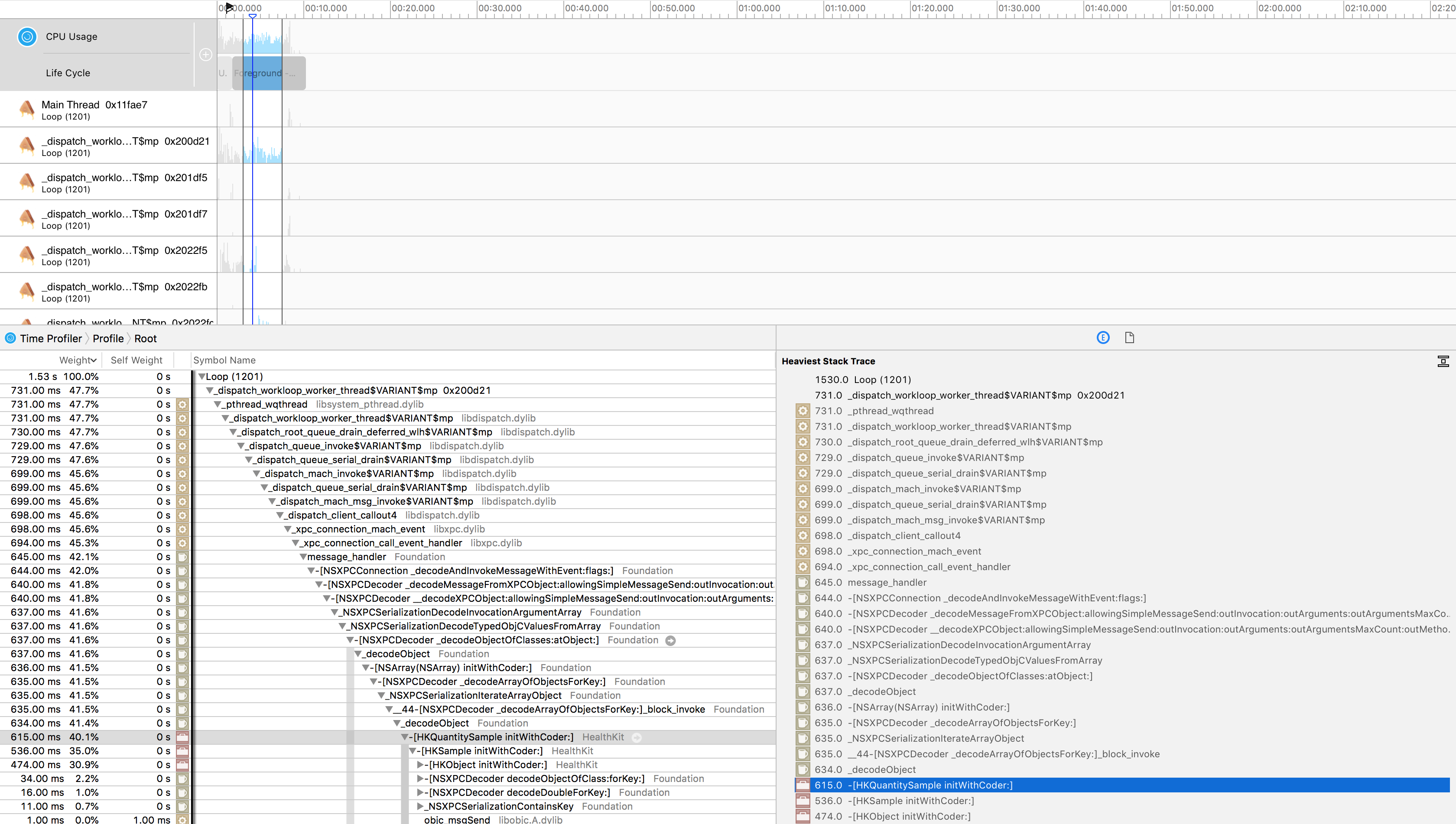
Don't know if it's helpful at all, but Instruments shows that most of the time is spent decoding HealthKit values. Not sure why an app restart helps with that.
elnjensen commentedon Jul 21, 2018
By the way, a few weeks ago I tried deleting all BG and insulin data from HealthKit, and it made no difference - problem still exists. (iPhone SE, 90GB of storage free, iOS 11.3.1, Loop 1.5.6)
francesc0-cgm commentedon Jul 21, 2018
Who has the problem uses spike? I do
elnjensen commentedon Jul 21, 2018
I don’t use Spike, but I still have the problem, so it’s not Spike-related.
elnjensen commentedon Oct 4, 2018
This seems much better after updating my iPhone SE to iOS 12. @frances0-cgm @chadharper0131 I wonder if you see the same thing.
Kdisimone commentedon Nov 30, 2018
How are people doing on iOS 12 and Loop v 1.9.3? I haven't heard many issues on FB regarding this recently. Seems like it has resolved?
dm61 commentedon Nov 30, 2018
I still run Loop on iPhone 6s and iOS 11.4, and I can confirm that the delay is (almost completely) gone in Loop 1.9.3. I believe the improvement must be due to some changes Pete made in how data is cached in LoopKit, not due to iOS 12 versus iOS 11. I'd say this issue can be closed.
Kdisimone commentedon Nov 30, 2018
Thanks! Glad to hear