Repository navigation
CMP formatting displayed differently on various websites #164
Description

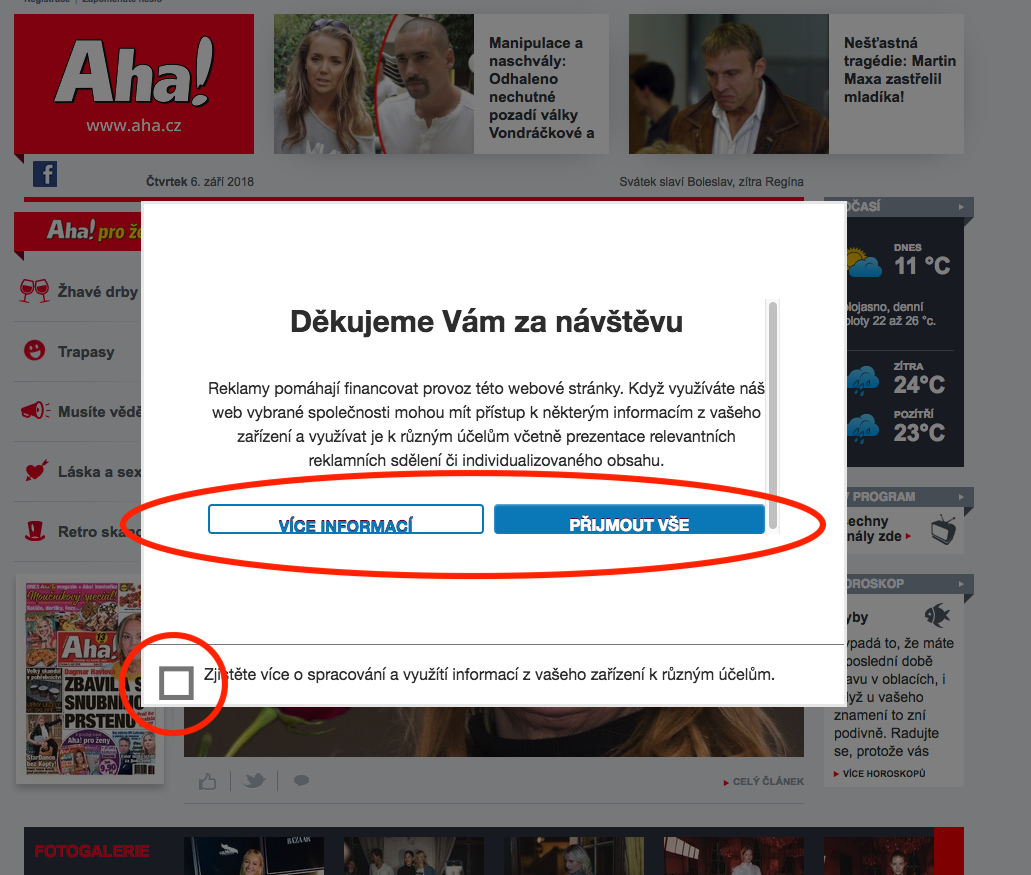
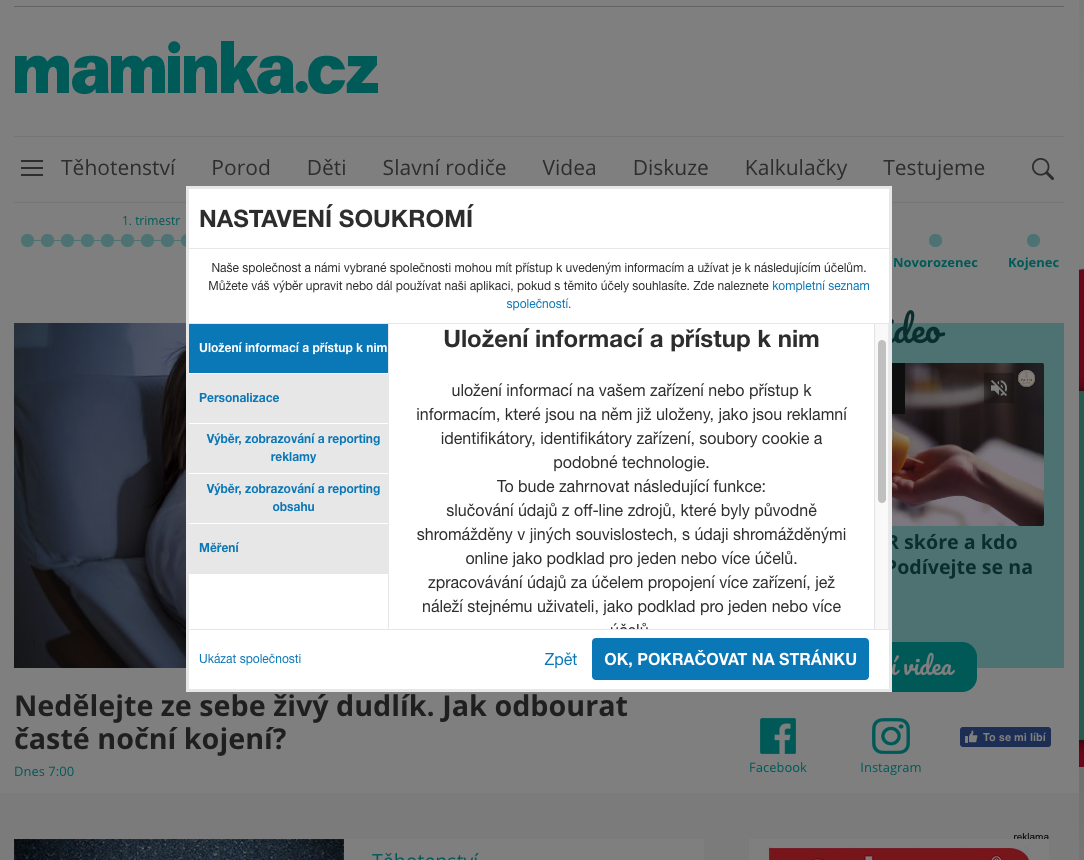
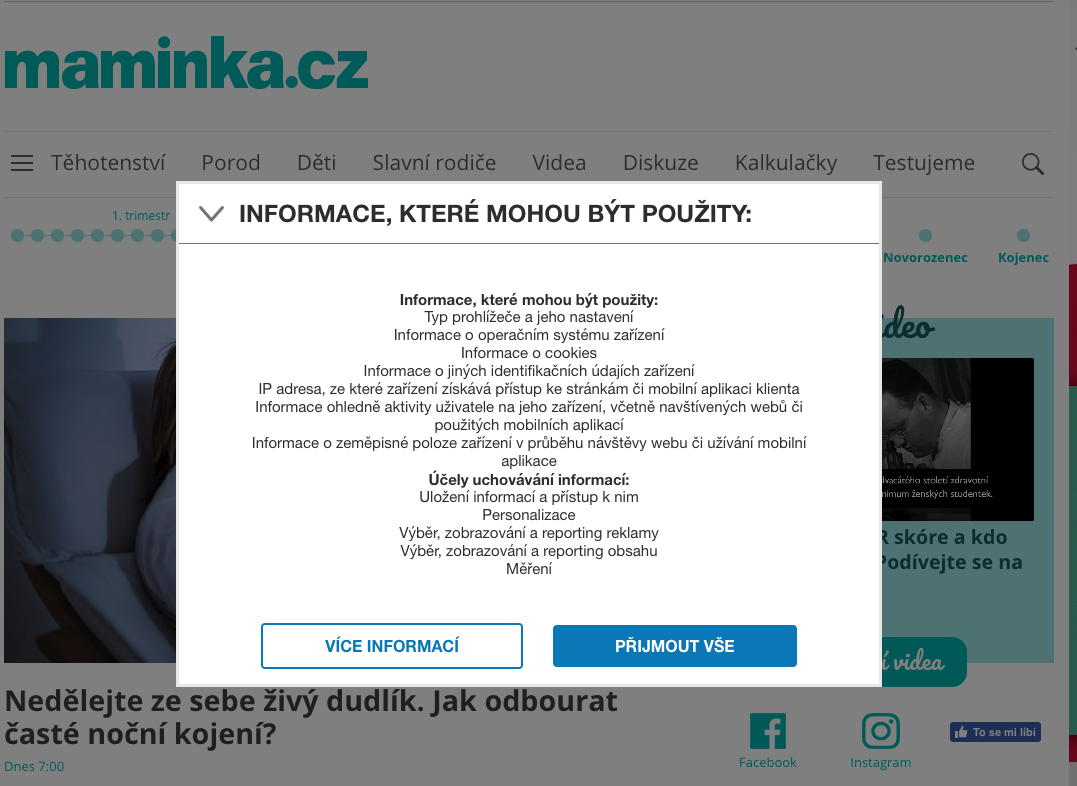
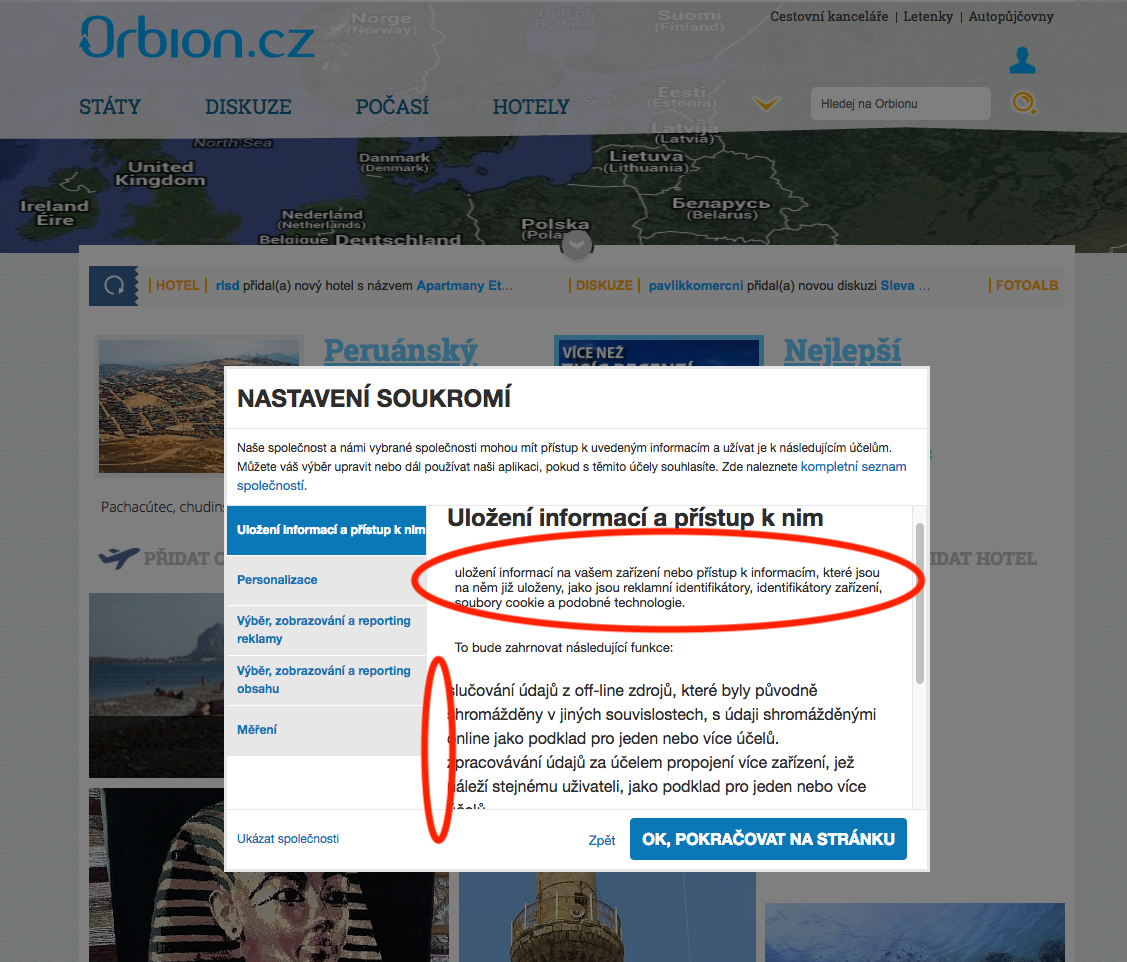
The CMP UI is displayed differently on some of the tested websites, e.g. buttons not displayed correctly, different font sizes, changed alignment of the texts, changed or disappeared bullet points - see attached screenshots. I am also attaching the configuration file. The source code was taken from the master branch (last Friday 31/08).
Tested sites:
www.orbion.cz
www.ahaonline.cz
www.maminka.cz
Browsers: Chrome and Safari
Note 1: We had to take the CMP down from those sites, but you can still display it online on Chrome with a DTM Launch switch (stageing ON).
Note 2: The variable PageviewCMP was added on our side for GA tracking.
Activity
lukascpex commentedon Sep 10, 2018
Attaching the config file as a txt (couldn't upload js)
cmp-2018-09-05.js.txt
BetinaMansa commentedon Sep 24, 2018
Hi @lukascpex,
We cannot seem to recreate this issue. Can you please describe your actions in steps?
From the screenshots our developer states that there is only one logical conclusion: Website styles are overwriting CMP banner styles and thereby messes up the general display of the CMP banner. In order to confirm that, we need to actually see it on those websites, then we can point out the cause. If it is CMP banner's problem - we fix it, if it is websites' global styles - they have to fix the site.
Best,
Adform Websites Team
lukascpex commentedon Nov 2, 2018
Hello,
sorry for the late reply, I was on a vacation and quite busy after that.
I can't put the CMP back on the websites live, now, but I have uploaded them in a debug mode. To see them, you would have to download the Adobe DTM switch plugin for Chrome. When the page loads and the plugin icon lights on, click on it and turn the debug and staging on. Then refresh the page and the CMP should display.
I hope it'll help.
Cheers
Lukas
BetinaMansa commentedon Nov 8, 2018
Hi again,
We attempted to reproduce, but we simply cannot. I attached some screenshots to show you what we see.
Perhaps you can provide us more details? Chrome version, etc.? Maybe something was updated in the meanwhile?
Best,
Betina
CMP Screenshots.zip
lukascpex commentedon Nov 8, 2018
Hi Betina,
our developer looked into it and made a fix, that we have put on the web this Tuesday, I think. It seems, it fixed the issue. Sorry, I forgot to tell you we have updated the version.
L.
BetinaMansa commentedon Nov 8, 2018
Hello,
No harm done, we are happy it works :)
Best,
Betina