This repository was archived by the owner on Nov 6, 2023. It is now read-only.
Repository navigation
This repository was archived by the owner on Nov 6, 2023. It is now read-only.
Copy button on EASE warning page #19385

Description

Type: Feature request
Description
It would be nice, if HTTPS-everywhere has a copy button present just beside of URL (for which it is showing warning message) to copy URL directly to clipboard.
Use-case
Sometimes I need know to URL for which HTTPS-everywhere showing warning message in EASE mode. HTTPS-everywhere do show URL on warning page, but longer URL replaced with ... sign.
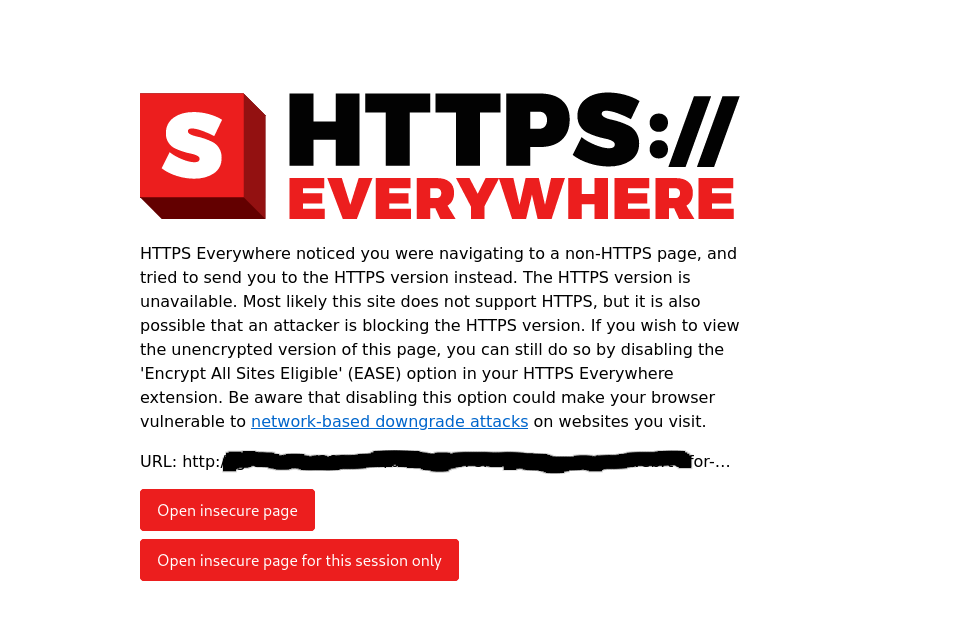
Currently, I've to extract this URL from browser's address bar and then decode it, which may be harder for average user, but adding a copy button make things easier for average users.
PS: What do you think, is it good idea to add a copy button? If so, can I make PR for this?
Activity
etanot commentedon Jul 10, 2020
And one more thing, is there any specific reason to keep
Open insecure page for this session onlybutton belowOpen insecure pagebutton? To me, it makes sense to put one after another in smaller screen resolution like mobile phones, tablets etc, but for desktop, can't we put them same line? In desktop, we'll also have considerable amount of space between these two buttons.zoracon commentedon Jul 23, 2020
Thanks for the suggestion around the copy button. Maybe we can use the Clipboard API for this. I also want to look into the security implications of using such a feature. But either way, I will work to make the url more accessible. if we can't use the Clipboard API for some reason, we can just display the full url properly. Sometimes URLs get intensely long for email click-through links. Which was the reasoning behind the cap.
As far as the button arrangement, we just kept everything within a certain block.There no specific reasoning other than keeping the buttons stacked for flexibility on different screens. Right now our design efforts are on pause but we plan to pick back up when the capacity is there later this year or early next year. When we make future design choices, we really want to be intentional, even if it's a simple layout change.
Feature: Ease - Copy URL Button
Feature: EASE Copy Url (#19568)