You signed in with another tab or window. Reload to refresh your session.You signed out in another tab or window. Reload to refresh your session.You switched accounts on another tab or window. Reload to refresh your session.Dismiss alert
{{ message }}
This repository was archived by the owner on Nov 6, 2023. It is now read-only.
Repository navigation
This repository was archived by the owner on Nov 6, 2023. It is now read-only.
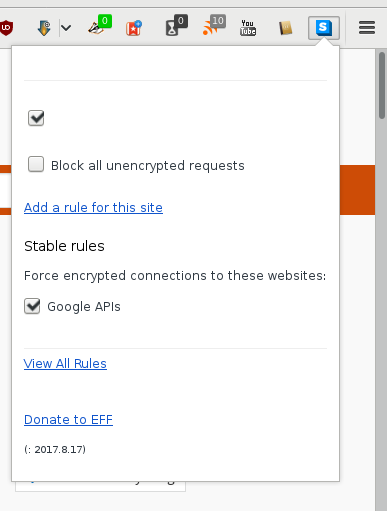
Text missing in UI in Firefox when using non-"English (US)" language #12009
ghost changed the title [-]Strings missing when clicking the HTTPSE icon in the toolbar in Firefox[/-][+]Strings missing when clicking the HTTPSE icon in the toolbar using Firefox[/+]on Aug 20, 2017
In my case, this bug appears regardless of the URL, even in the Start Page about:home. For the ruleset, I noticed that each time I try to check/uncheck a box, the panel close, and when I reopen it, the configuration did not change (same config as the image below: first box checked, this other uncheck).
I opened the console windows juste like @koops76 said and load a page (Qwant.com in this case) . Then I clicked the HTTPS Everywhere button, but no outputs appeared in the console:
Clicking the trash icon to clear the console did nothing, even when I reopened HTTPS Everywhere panel.
@Jony0008 can you confirm that the Swedish translation is still missing in the 2018.2.26 release? (It may take a moment to propagate the update in the Firefox & Chrome extension stores.)

Activity
[-]Strings missing when clicking the HTTPSE icon in the toolbar in Firefox[/-][+]Strings missing when clicking the HTTPSE icon in the toolbar using Firefox[/+]Cynnexis commentedon Aug 20, 2017
I have the same problem on Firefox 52.3.0 on Ubuntu: There is nothing but the check boxes and the version string.
jeremyn commentedon Aug 21, 2017
What's an example URL or ruleset where this happens?
Cynnexis commentedon Aug 22, 2017
In my case, this bug appears regardless of the URL, even in the Start Page
about:home. For the ruleset, I noticed that each time I try to check/uncheck a box, the panel close, and when I reopen it, the configuration did not change (same config as the image below: first box checked, this other uncheck).Bisaloo commentedon Aug 22, 2017
I can reproduce on Tor Browser 7.0.4.
Cynnexis commentedon Aug 23, 2017
@koops76 How can I access to the console log?
Cynnexis commentedon Aug 24, 2017
I opened the console windows juste like @koops76 said and load a page (Qwant.com in this case) . Then I clicked the HTTPS Everywhere button, but no outputs appeared in the console:
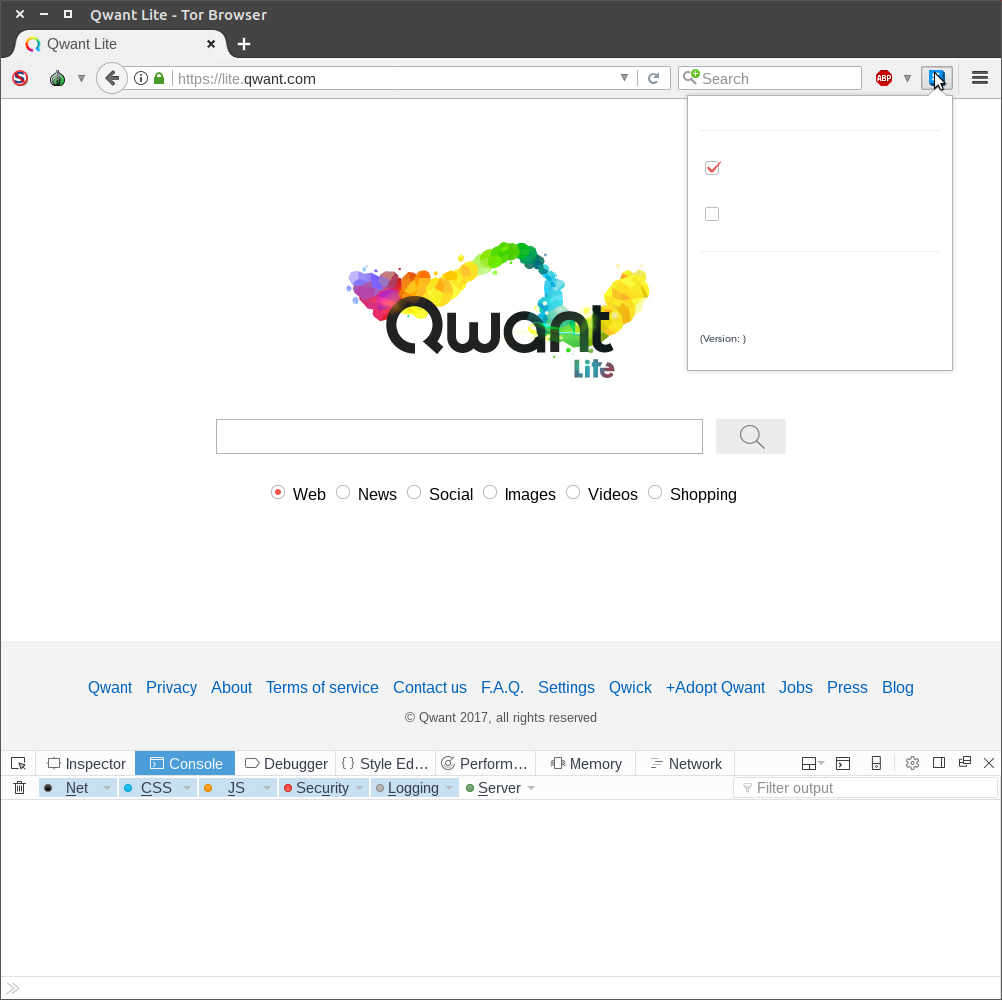
Clicking the trash icon to clear the console did nothing, even when I reopened HTTPS Everywhere panel.
14 remaining items
Hainish commentedon Oct 5, 2017
There are three locales that are similar that are translated for each of these:
sv(Swedish, no country specification),ca(Catalan generic), andms_MY(Malay from Malaysia). For now, use one of these.Hainish commentedon Oct 6, 2017
@Jony0008 my suggestion is only for HTTPS Everywhere, not in general. We'll still be fixing the problem for the affected locales
niklasholm commentedon Nov 7, 2017
@Hainish I tried changing
general.useragent.localetosvfrom the default (sv-SE) but it didn't make any difference.Hainish commentedon Dec 15, 2017
I've just pinged the upstream transifex maintainer again.
Hainish commentedon Jan 10, 2018
I've received notification that the upstream transifex fix was not pushed properly. I have been notified that it was fixed with this commit: https://gitweb.torproject.org/translation.git/commit/?h=https_everywhere&id=4b55350d48a78614ad14087dc4eefe289543ff5b
Hainish commentedon Feb 27, 2018
@Jony0008 can you confirm that the Swedish translation is still missing in the
2018.2.26release? (It may take a moment to propagate the update in the Firefox & Chrome extension stores.)Hainish commentedon Feb 28, 2018
@Jony0008 great, thank you! Closing now.