Repository navigation
Preference View - #205
Preference View#205underthestars-zhy wants to merge 38 commits into
Conversation


Signed-off-by: Underthestars-zhy <zhuhaoyu0909@icloud.com>
Signed-off-by: Underthestars-zhy <zhuhaoyu0909@icloud.com>


|
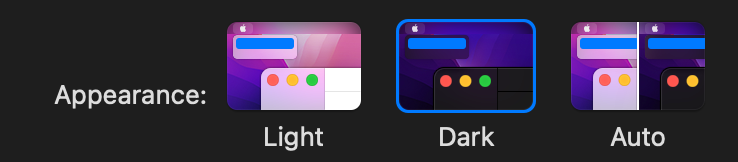
For appearance, instead of macOS wallpaper, we need a simplified illustration of the application and code similar to this
|
|
I really like how Nova has done their theme selector, the thumbnails are simple and their settings react to your system appearance, very flexible. I might make thumbnails a bit smaller thought to allow for more to be seen an once. Screen.Recording.2022-03-26.at.1.13.06.PM.mp4 |
|
In our theme preference pane, I would have a checkbox, a tabset, and then a "More Themes" button. In the tabset, there are three tabs - "Window", "Editor", and "Terminal". When the checkbox is clicked, A light mode and dark mode toggle appears so that users can select light mode settings and dark mode settings. By default if their currently selected theme supports the opposite appearance mode, it is automatically chosen. For example, if there is a High Contrast theme that offers a light version and a dark version and the user is in dark mode and they select "Automatically change theme based on system appearance", High Contrast Light will automatically be used for light mode because they have previously selected High Contrast Dark while in dark mode. |
|
The theme preference pane might look something like this without the left sidebar category selector... |
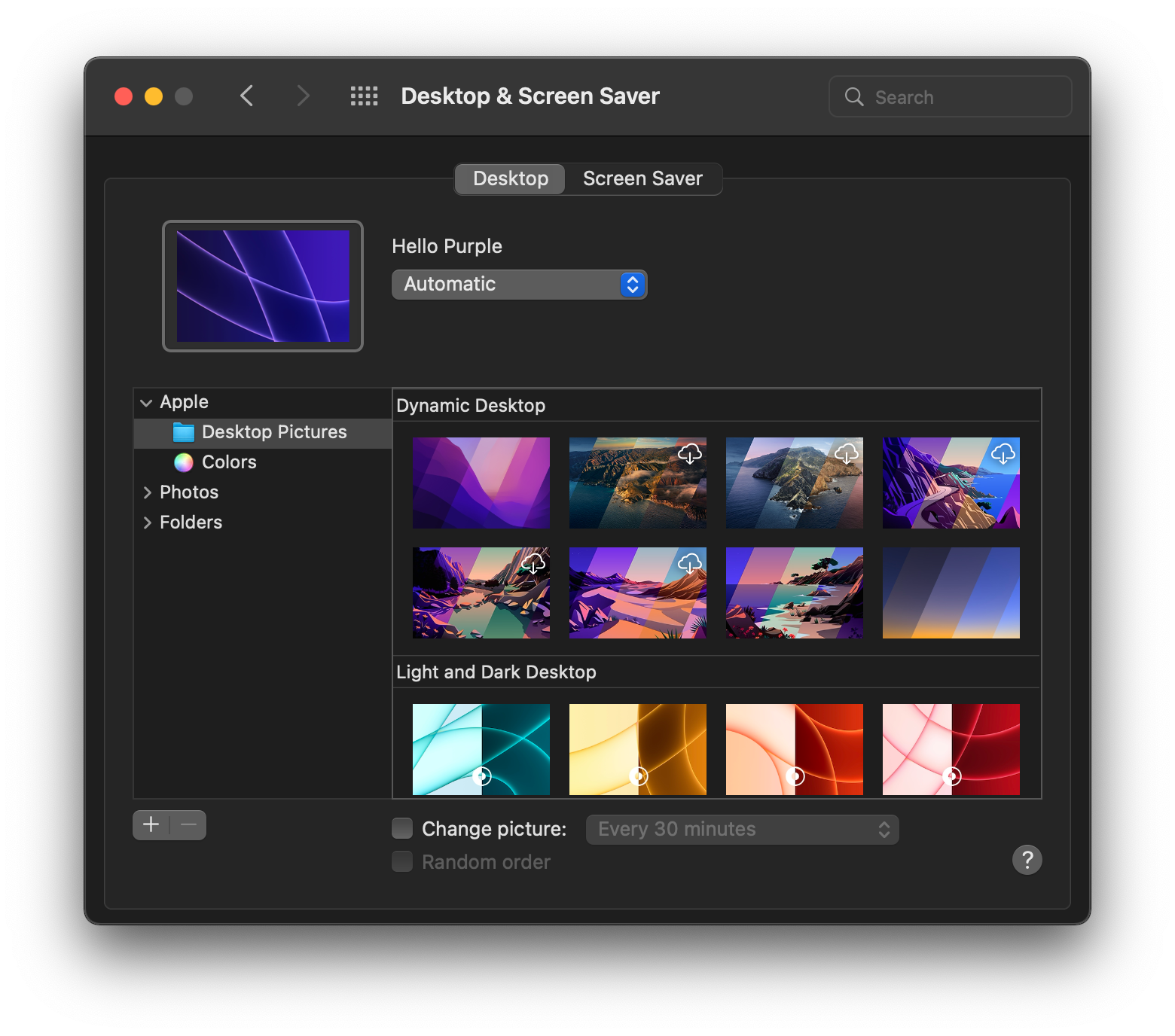

We don’t need a window theme tab now. We only have three window themes. If we add this tab the view will become ugly. |
|
So which theme picked we choose? |
|
Something like this...
|
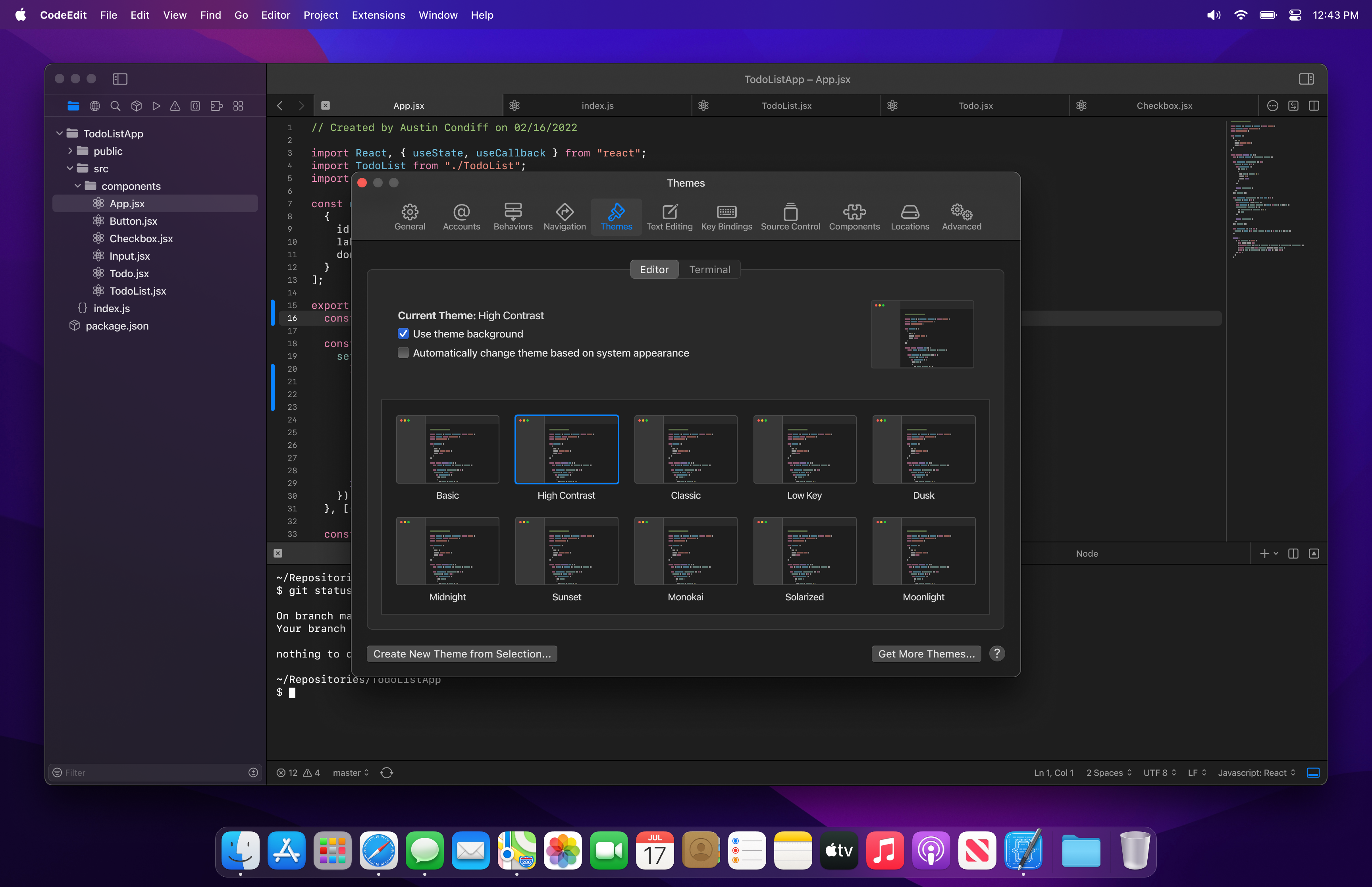
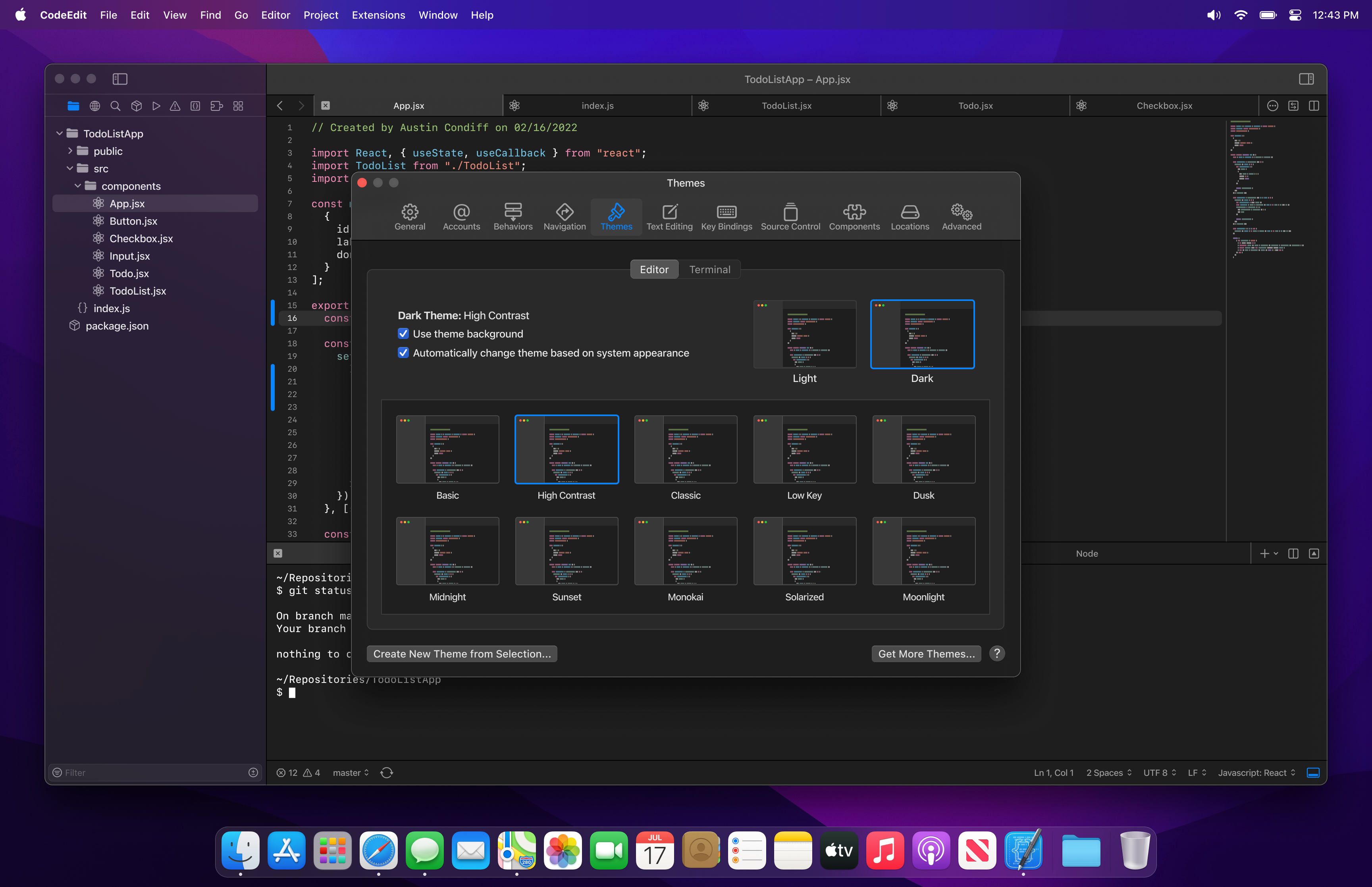
So how can people choose auto themes? |
fixed |
You would check the “automatically change theme based on system appearance” checkbox. If you notice, in the first mock up that check box is unchecked. When it is unchecked there is only one preview thumbnail to the right. When it is checked there are two thumbnails to the right. One for light, one for dark. When the light thumbnail is selected, you are selecting the theme below that will be applied when the system is in light mode. When the dark thumbnail is selected at the top right, the user can then select the dark theme to use when the system is in dark mode. The thumbnails at the top act as tabs to make a selection for each mode. |
|
Opening a new issue for the design preference tab. |
|
Appearance option thumbnails need "Light" and "Dark" labels like in macOS system preferences. Reopen behavior and icon style should instead be select menus for better clarity. |

 lukepistrol
left a comment
lukepistrol
left a comment
lukepistrol
left a comment
There was a problem hiding this comment.
The alignment in Terminal Settings is not quite right yet, also make sure all options are available and clear to understand (see review comments).
Current Main
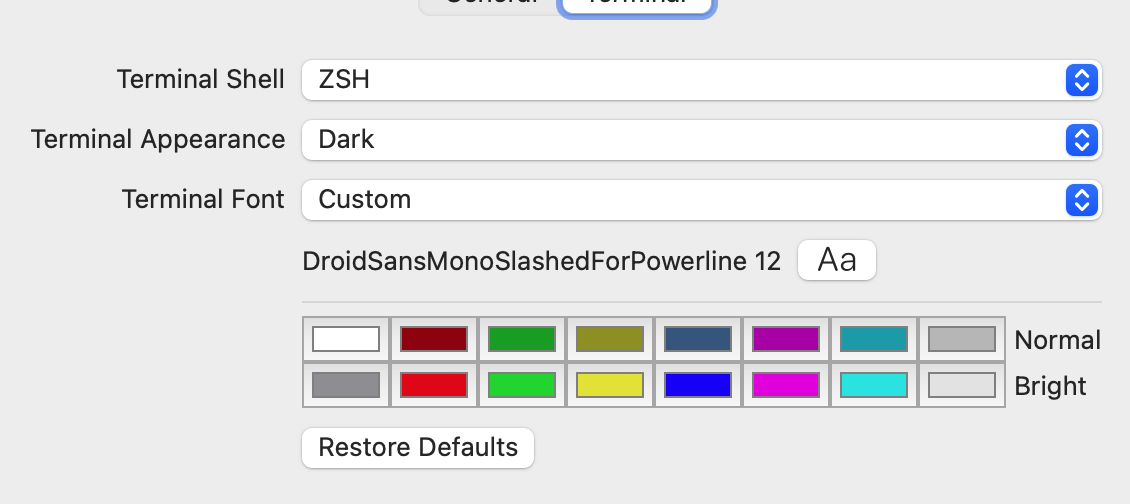
This PR
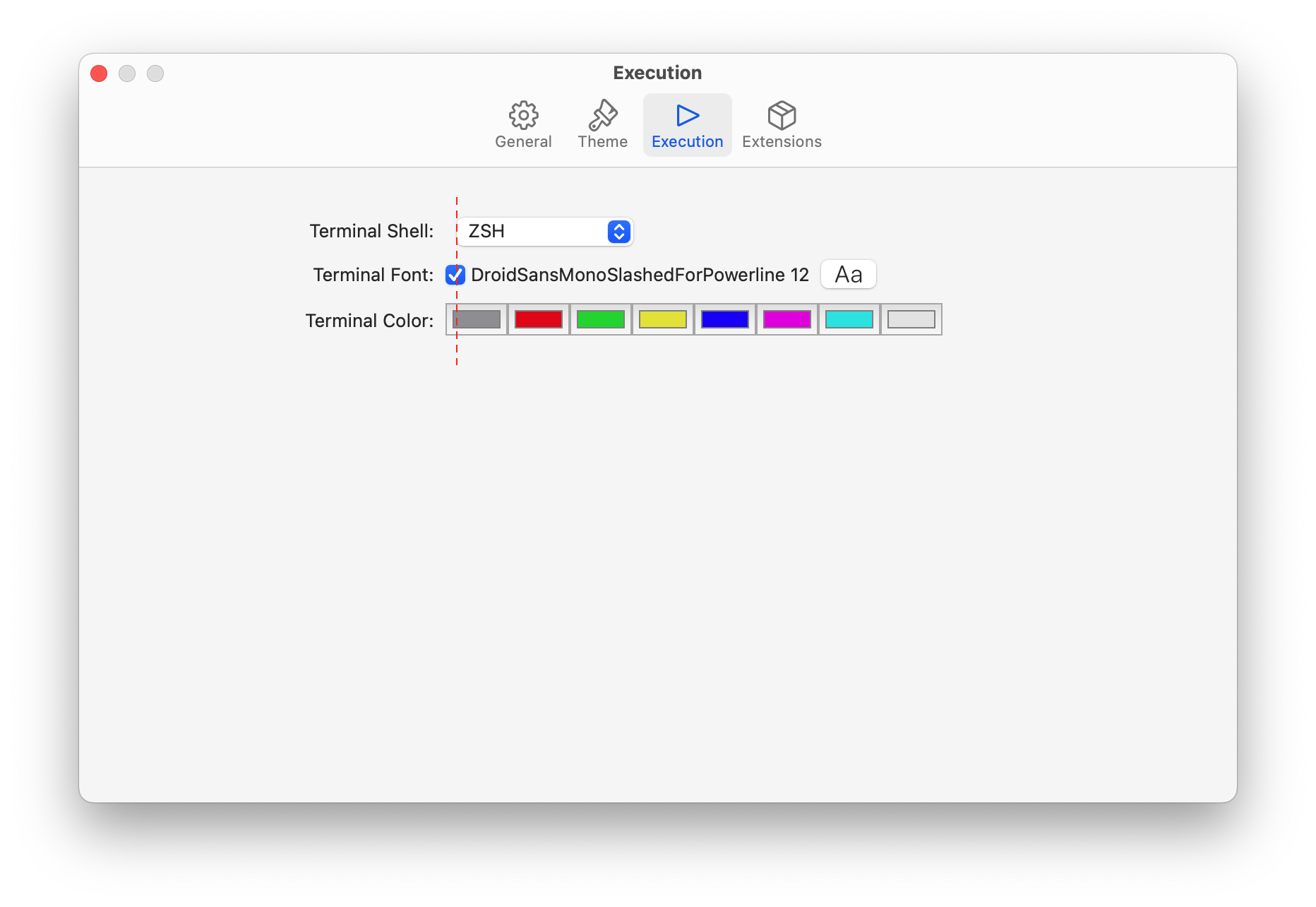
| { | ||
| "package": "Highlightr", | ||
| "repositoryURL": "https://github.com/raspu/Highlightr.git", | ||
| "repositoryURL": "https://github.com/raspu/Highlightr", |
There was a problem hiding this comment.

It seems work well in my mac.
| import FontPicker | ||
| import Preferences | ||
|
|
||
| struct ExecutionSettingsView: View { |
There was a problem hiding this comment.
Why execution and not terminal ?
There was a problem hiding this comment.
This will change. Terminal part will move to the theme tab.
There was a problem hiding this comment.
The alignment in Terminal Settings is not quite right yet, also make sure all options are available and clear to understand (see review comments).
Current Main
This PR
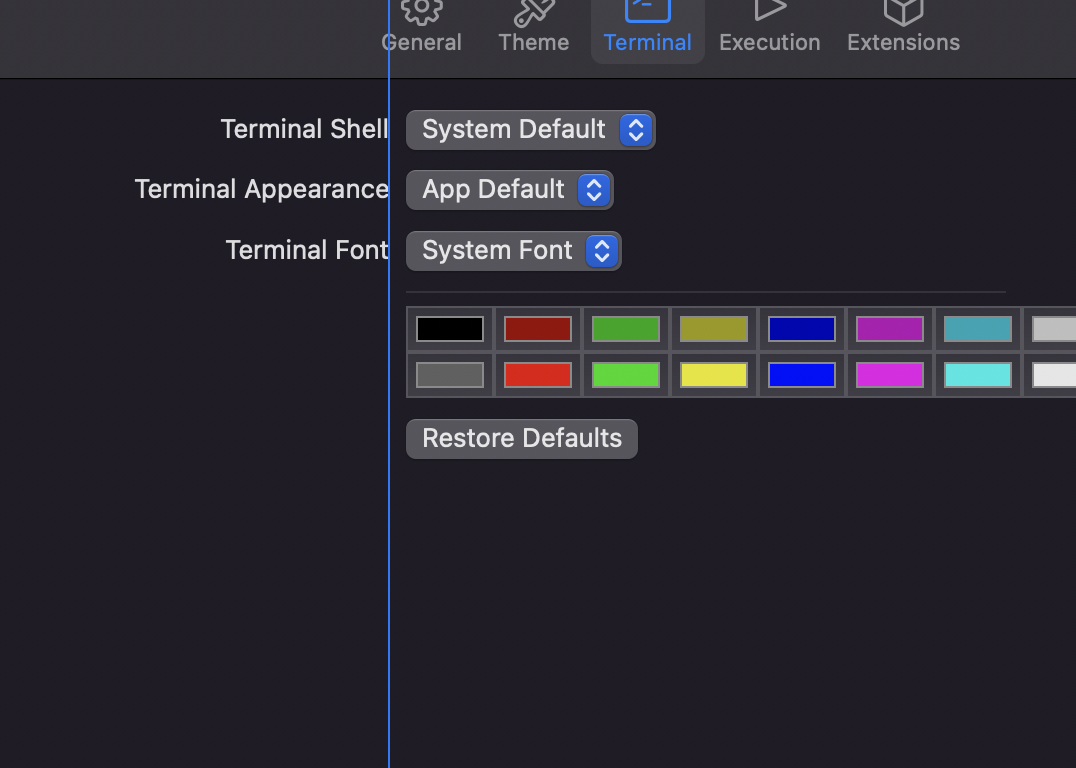
Fixed
| } | ||
|
|
||
| Preferences.Section(title: "Terminal Color:") { | ||
| if colorScheme == .dark { |
There was a problem hiding this comment.
Don't switch on colorScheme. Normal and Light colors are used in both dark and light appearance
| } | ||
| } | ||
| } | ||
| } |
There was a problem hiding this comment.
Add Reset Defaults button like on current main.
| } | ||
|
|
||
| Preferences.Section(title: "Terminal Font:") { | ||
| Toggle(isOn: $customFont) { |
There was a problem hiding this comment.
Use a separate line for switching between system and custom font. With the font picker only shown when custom is selected. like on current main
There was a problem hiding this comment.
But I don't think this design will cause misunderstanding. And the content can be reduced.
There was a problem hiding this comment.
Having an unlabeled checkbox near a font selector will most likely lead to misunderstandings.


<!--- IMPORTANT: If this PR addresses multiple unrelated issues, it will
be closed until separated. -->

### Description

Adds a minimum ruler width equal to 4 digits wide to reduce layout shift
while scrolling.

### Related Issues

<!--- REQUIRED: Tag all related issues (e.g. * CodeEditApp#123) -->
<!--- If this PR resolves the issue please specify (e.g. * closes CodeEditApp#123)
-->
<!--- If this PR addresses multiple issues, these issues must be related
to one other -->

* N/A, discussed a couple times in discord.

### Checklist

<!--- Add things that are not yet implemented above -->

- [x] I read and understood the [contributing
guide](https://github.com/CodeEditApp/CodeEdit/blob/main/CONTRIBUTING.md)
as well as the [code of
conduct](https://github.com/CodeEditApp/CodeEdit/blob/main/CODE_OF_CONDUCT.md)
- [x] The issues this PR addresses are related to each other
- [x] My changes generate no new warnings
- [x] My code builds and runs on my machine
- [x] My changes are all related to the related issue above
- [x] I documented my code

### Screenshots

Previous:
<img width="356" alt="Screenshot 2023-07-11 at 12 28 26 PM"
src="https://github.com/CodeEditApp/CodeEditTextView/assets/35942988/469044fa-189f-41d8-83ca-367f2244fe82">

Now:
<img width="321" alt="Screenshot 2023-07-11 at 12 27 51 PM"
src="https://github.com/CodeEditApp/CodeEditTextView/assets/35942988/547dcdda-f50e-4be6-a065-7fef5b6e7cd7">
5 participants


Description
Releated Issue
#146
#286
Checklist (for drafts):
Screenshots (if appropriate):
CleanShot.2022-03-23.at.21.56.32.mp4
Use keyboard change themes
CleanShot.2022-03-24.at.19.10.33.mp4