Repository navigation
✨ Use the option in settings to either use or hide the theme background color #982

Description

Is your feature request related to a problem? Please describe.
The "Use theme background" checkbox in Settings does not work.
Describe the solution you'd like
Use the "Use theme background" option in settings to either use or hide the theme background color.
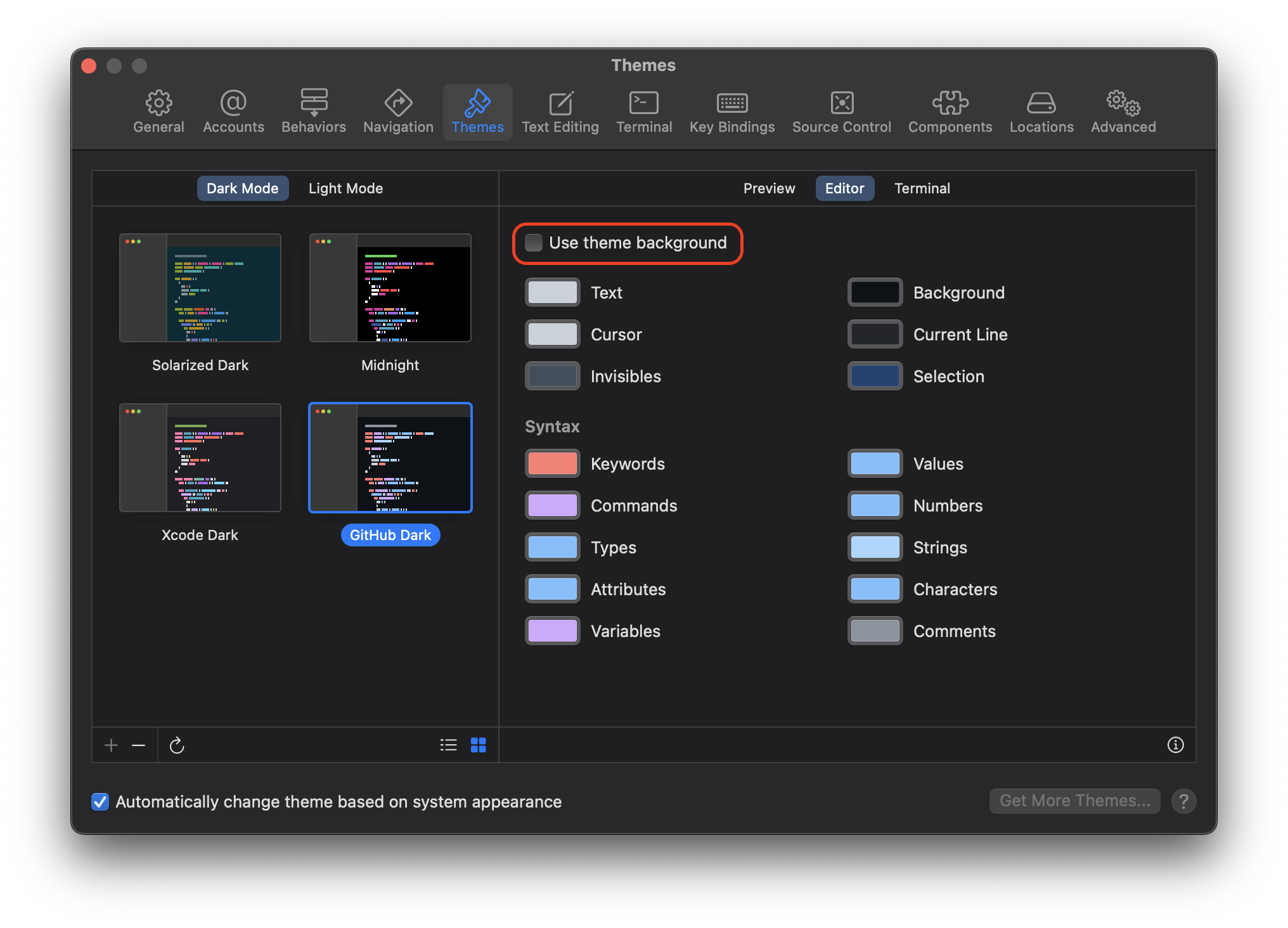
When unchecked, the theme background color will be .clear showing through to the editor background behind CodeEditTextView.
In dark mode, the editor background should be EffectView(.underPageBackground) and in light mode it should be EffectView(.contentBackground).
This same should also apply to the terminal, this checkbox does not exist in the terminal tab, so it will need to be added underneath, "Always use dark terminal appearance"
Metadata
Metadata
Assignees
Labels
Type
Projects
- Status
Activity
neil-ptr commentedon Jan 17, 2023
I'll try my hand at this! It seems there might be some changes in the
CodeEditTextViewpackage needed for this as welllukepistrol commentedon Jan 17, 2023
@Neilzon I assigned you to this issue. If there are changes needed in
CodeEditTextViewplease just create a pull request and link this issue.neil-ptr commentedon Jan 18, 2023
Screen.Recording.2023-01-18.at.4.40.50.PM.mov
This is what I have so far for just the code editor part but I'm not too sure about the light theme with the "use theme background" unchecked since some of the text blends into the background, unless I got something wrong from the issue description so feedback would be greatly appreciated @austincondiff @lukepistrol :)
(also I noticed the rest of the editor like the sidebar doesn't change color when going to light theme)
austincondiff commentedon Jan 19, 2023
This is great so far! We might have a boolean in our theme config files
isDarkThemethat whentrueand when using a light appearance, we might manually set the background to black. And vise-versa, if using a dark appearance, we might force a white background ifisDarkThemeis set tofalsein the applied theme.@lukepistrol do you have any thoughts around this?
lukepistrol commentedon Jan 19, 2023
@austincondiff the theme already has a key called
appearancewhich is an enumThemeTypeof either.darkor.lightaustincondiff commentedon Jan 19, 2023
Perfect, we can use that then!